
A nonprofit's shared room
Meeting room, shared space, coworking desk: members book their own slot, instead of going through one person keeping a paper diary.
YouTim Service
Room, gear, court, vehicle, family house: open a slot schedule every member can book — with no double booking and no spreadsheet to keep up to date.
No more "is it free tomorrow?" in the chat and last-minute clashes: everyone sees what's taken and books their slot.
15 min, 30 min, 1 h, half-day, full day or a custom length: you choose the booking step.
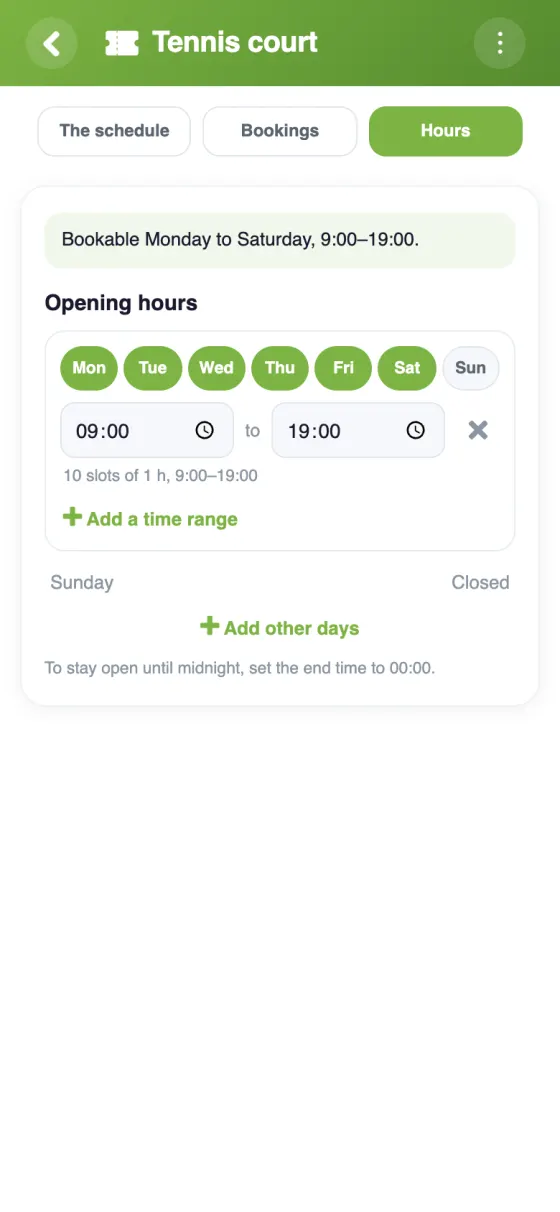
Set open days and hours, and block one-off periods (holidays, maintenance).
One seat or several: allow multiple bookings on the same slot when the resource allows it.
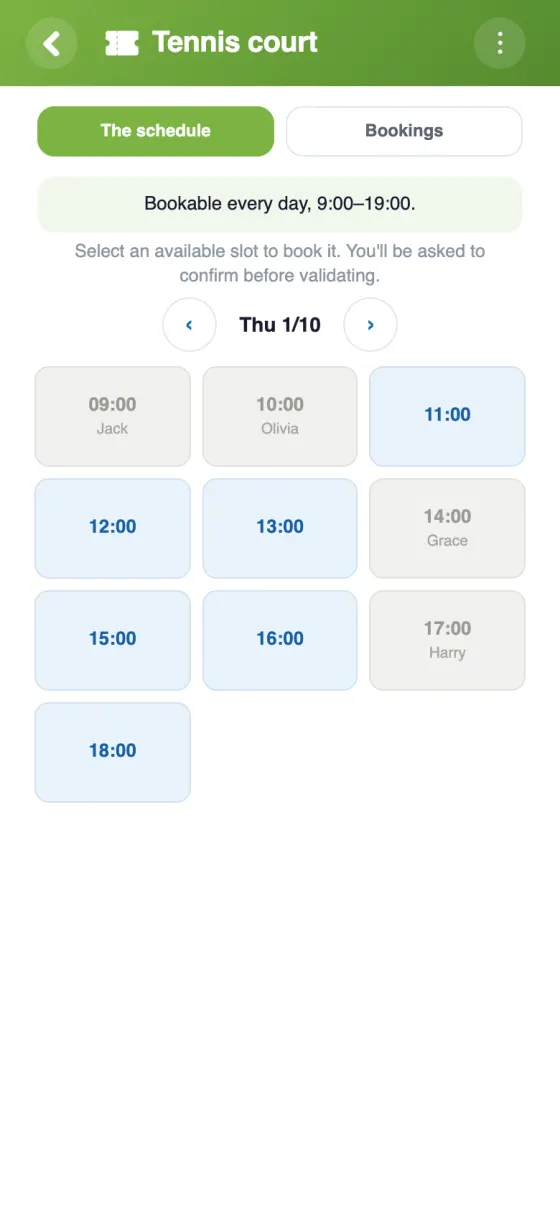
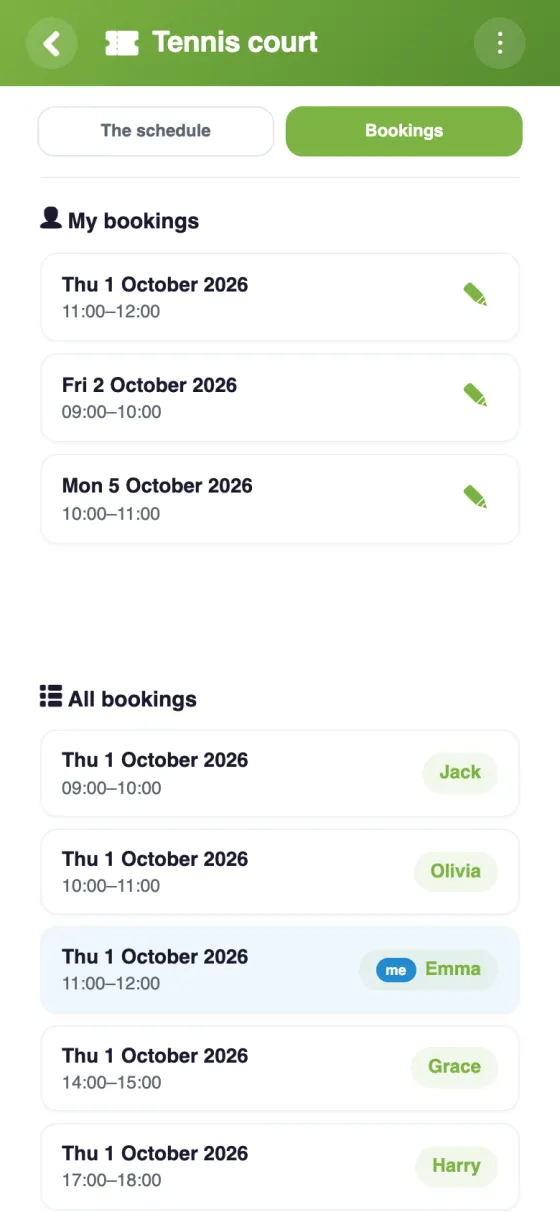
Optionally show the names of who booked, or keep only availability visible.
The planning adapts: slot grid, half-days in week view, or a monthly calendar for full-day bookings.
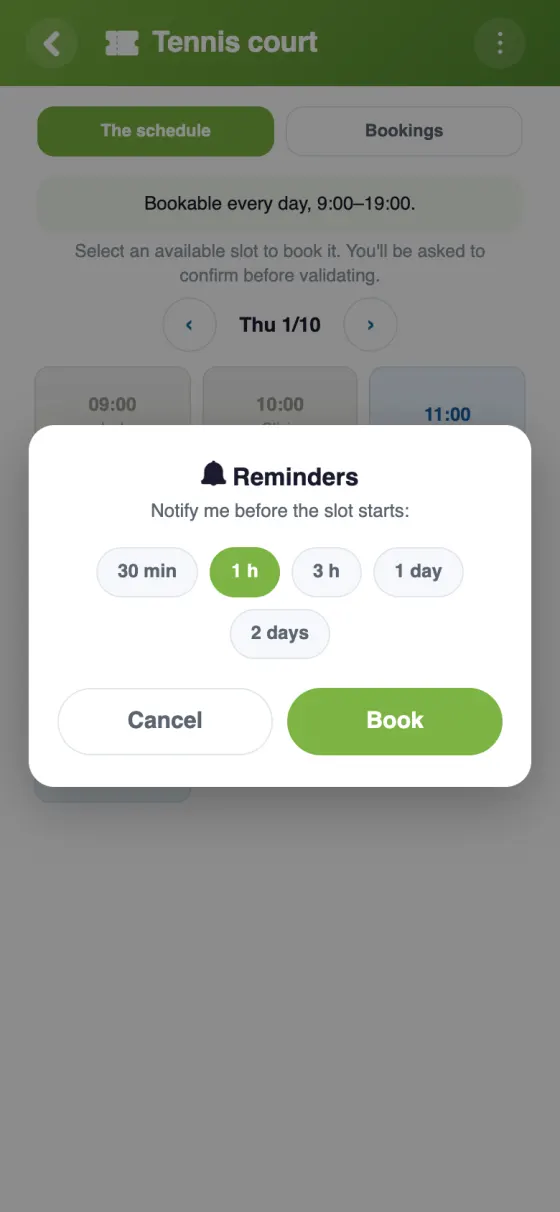
An optional push reminder before your slot, and cancelling takes just two taps.
How it works
The organiser defines the resource, the slot length and its availability. Each member books a free slot: no more conflicts, no more messages to coordinate.
| Feature | YouTim Booking | Doodle | Shared spreadsheet |
|---|---|---|---|
| No third-party account to create | ✓ | ✗ | ✗ |
| Tied to the group (chat, calendar) | ✓ | ✗ | ✗ |
| Capacity & multiple seats | ✓ | limited | manual |
| Availability & blocks | ✓ | limited | manual |
| GDPR & EU | ✓ | plan-dependent | tool-dependent |
| Ad-free | ✓ | ✗ | ✓ |
Comparison for informational purposes, based on publicly known 2026 features.
Meeting room, shared space, coworking desk: members book their own slot, instead of going through one person keeping a paper diary.
Kayaks, bikes, instruments, the shared workshop drill: everyone books the resource for the slot they need, and sees what's already taken.
Tennis, padel, a building's gym: a schedule of one-hour slots, with capacity for shared courts.
A nonprofit's car, a family van, a trailer shared between neighbors: book by half-day or full day, with no clashes.
A holiday home shared between several branches of the family: a monthly calendar to book your days, visible to all.
A shared washing machine, a bike room: short slots each resident books from their phone.
Yes, completely free, with no subscription or in-app purchases, and no ads.
Anything shared on a schedule: room, equipment, court, vehicle, house, laundry room, or a time slot with a person. You choose the slot length: 15 min, 30 min, 1 h, half a day, a full day, or a custom length from 5 min to 4 h.
Yes, if you want: the admin sets the number of places per slot. Beyond that, the slot is shown as full.
By default, yes. The admin can hide names: members then only see the places available.
Yes: the admin sets opening hours day by day, and can close a day or a period (vacation, maintenance work…) with a reason visible to everyone.
Yes, if you want: a push notification 30 min, 1 h, 3 h, 1 day or 2 days before.
Booking needs no third-party account and lives in the same YouTim as the chat, calendar and lists — the same members, with no external link to share.
Yes: tap your slot and confirm the cancellation, or go through “My bookings”. The place becomes available again immediately.
Sharing a room, a vehicle or gear between several people often turns messy: messages scattered across the chat, a shared spreadsheet nobody updates, or a double booking found out on the day. YouTim Booking replaces all that with a clear slot schedule every member checks and books from their phone.
Depending on the resource, the right step changes: an hour for a tennis court, a half-day for a vehicle, a full day for a family house. YouTim offers slots from 15 minutes to a full day — and the planning displays accordingly (slot grid, half-days in week view, or a monthly calendar for full-day bookings).
The admin opens the right days and hours, blocks unavailable periods (holidays, maintenance) and sets capacity when several bookings fit a single slot. The booking window (1, 6, 12 or 24 months) keeps slots from being grabbed too far ahead.
Booking lives in the same YouTim as the group's chat, calendar and fund. A nonprofit, a building, a family: one space, several services, the same members — no new account or external link to share.