
Coordinate a blended family
Custody, school holidays, birthdays, doctor visits: everyone has the same up-to-date calendar, separated parents included. No more "I didn't know you took that weekend".
YouTim Service
Group events, reminders before each event, timeline and calendar views. Family, club, association, friends — one calendar, same members.
Your events, your members already invited, your reminders — all in seconds.
Date, time, location, description, photo: create an event and all members see it.
A chronological view grouped by date, or a classic calendar view — your choice.
A push notification 10 min, 30 min, 1 h, 1 day or 1 week before the event, your choice. No more no-shows.
Choose whether all members can create events or only admins.
Discuss the event, run a date poll — all connected to the same group.
How it works
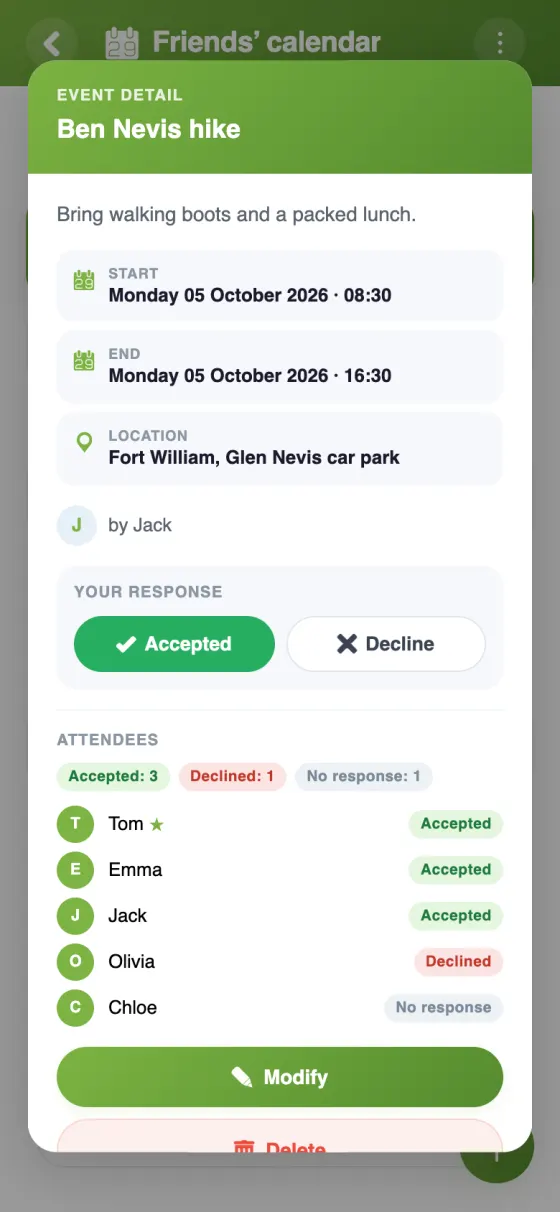
Create an event (date, time, place, description) and invite members: each replies Accept or Decline. Reminders can be sent beforehand, and past events stay available.
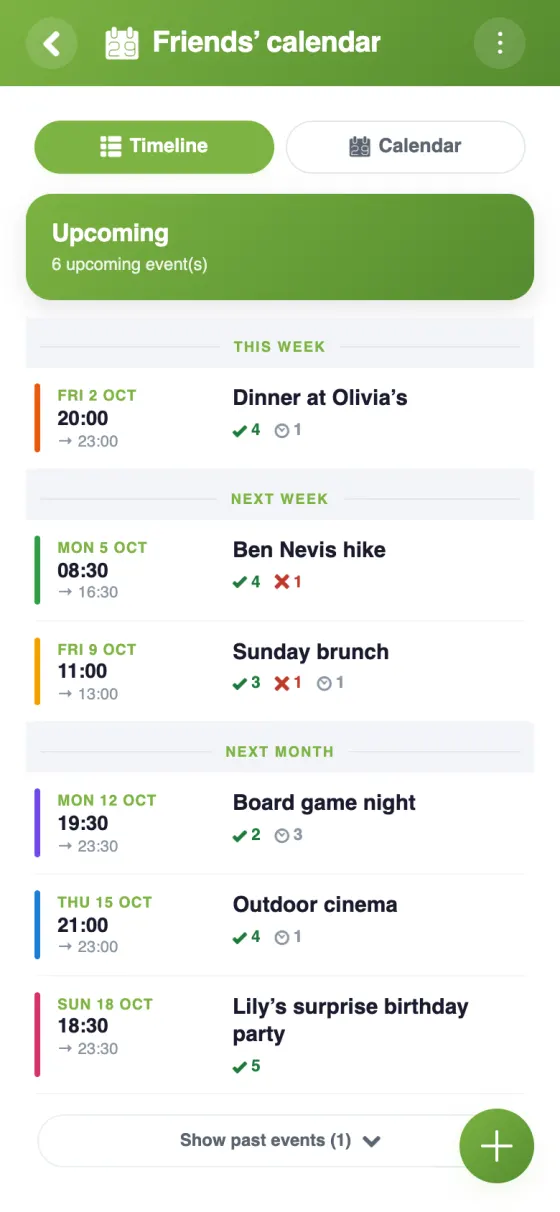
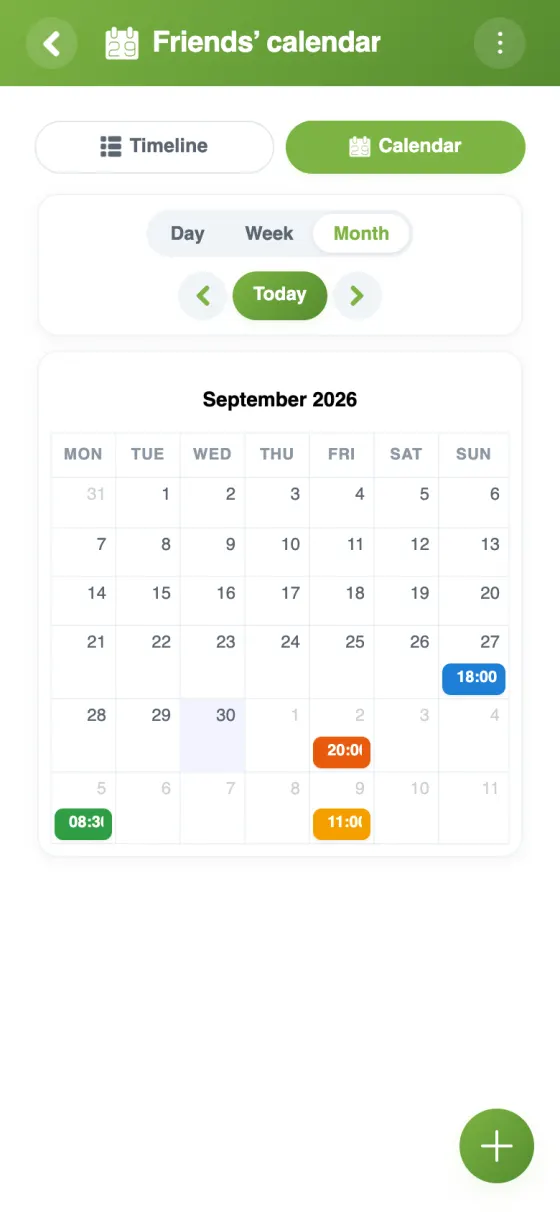
Why a dedicated group calendar beats a complex shared Google Calendar.
| Feature | YouTim Calendar | Shared Google Calendar | Facebook Events |
|---|---|---|---|
| Members already invited | ✓ | invite each event | via public group |
| Guest replies (Accept / Decline) | ✓ | ✓ | ✓ |
| Reminders before the event | ✓ | ✓ | via FB notifs |
| Tied to chat and budget | ✓ | ✗ | chat only |
| No Google account needed | ✓ | ✗ | FB account required |
| Ad-free, tracking-free | ✓ | ✗ | ✗ |
| GDPR & EU hosting | ✓ | US | US |
Comparison for informational purposes, based on publicly known 2026 features.
Six situations where a shared group calendar changes the game.
Custody, school holidays, birthdays, doctor visits: everyone has the same up-to-date calendar, separated parents included. No more "I didn't know you took that weekend".
Practices, matches, travel, tournaments: one calendar for the whole team. The coach posts the season schedule, everyone finds it on their phone, always up to date.
Rehearsals, performances, AGMs, outings: members get notifications for each new date. The board manages permissions to prevent random creations.
Flights, hotels, activities: build the trip calendar, everyone gets it on their phone. Pair with Itinerary.
Cinema, concert, hike: create the event, guests reply Accept or Decline, and everyone knows who's coming. A reminder the day before prevents no-shows.
Charity events, distributions: coordinator posts the slots, volunteers find all the slots in one place, always up to date. No spreadsheet to maintain.
Yes, completely free. No in-app purchases, no ads.
By default, yes. The admin can restrict event creation to admins, or lock the calendar. Everyone edits or deletes their own events; admins can edit all of them.
Yes: each guest accepts or declines from the event's details, and the creator is notified of their reply. Guests receive a notification as soon as the event is created.
Yes. When creating the event, its author chooses one or more reminders: 10 min, 30 min, 1 h, 1 day or 1 week before. They are sent by push notification to the guests, except those who have declined.
Not at the moment: each event has its own date.
Yes, only the YouTim's members see it. For each event, you choose the guests. The other members see the event too, unless the admin hides event details: they then only see that the time slot is taken.
Sharing a calendar with a group — family, sports team, association — should be simple. In practice, Google Calendar forces everyone to have a Google account, Apple Calendar is Apple-only, and Facebook Events turns everything public. YouTim Calendar removes these frictions: one common calendar, members already invited, flexible permissions.
Kids' activities, medical visits, custody, vacation: blended or nuclear families get a shared calendar without forcing a Google Family account. Teens consult on their phone without exposing their personal calendar.
An association president or sports coach posts events that members view in a timeline or calendar. Permissions prevent random creation while keeping the calendar accurate with zero paperwork.
A weekend with friends, bachelor/ette party, group trip: create a dedicated YouTim with calendar, budget, itinerary and chat. Everything stays available once the event is over.
The shared calendar stays private, hosted in Europe, no data resale. A real alternative to US solutions.