
The classic potluck
20 friends, one dinner. List starters, mains, desserts, drinks with target counts. Each person picks what they bring; the host sees the menu balance at a glance.
YouTim Service
Potluck, BBQ, camping, moving day: list what's needed, set target quantities, and let everyone sign up for what they'll bring.
List the items, set targets where it matters, and let participants commit. No more "did anyone bring napkins?" 20 minutes before the party.
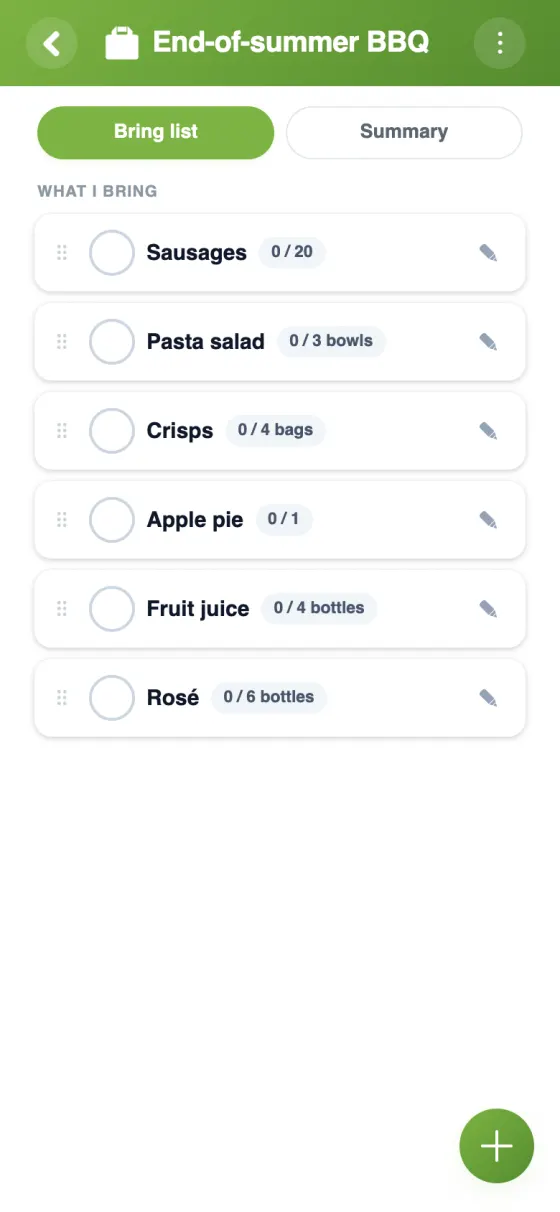
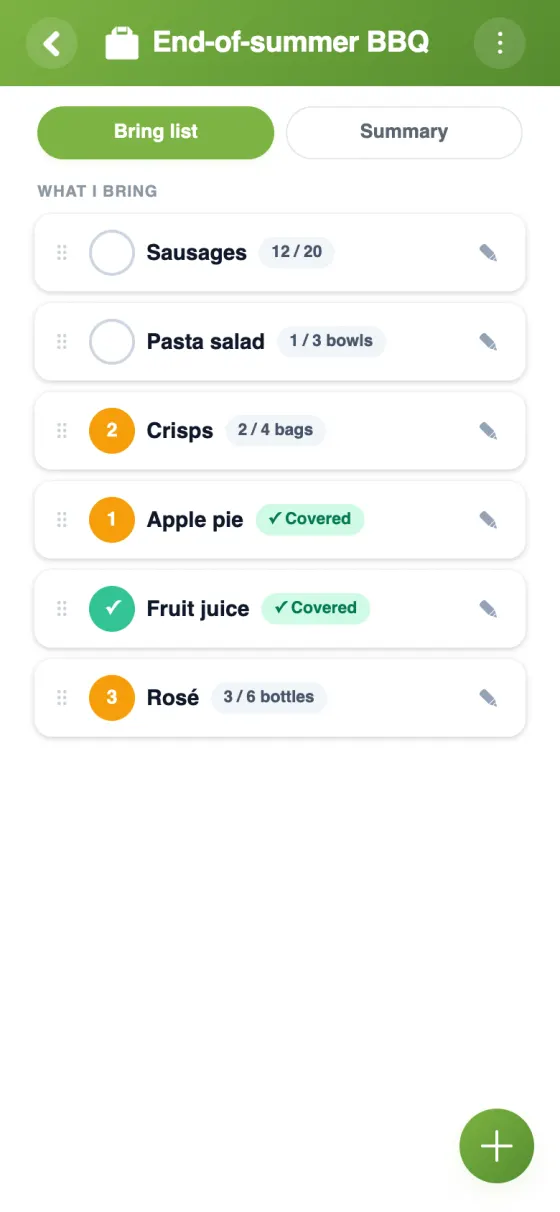
Set a target quantity (e.g. 4 baguettes) or leave it open. YouTim shows what's still needed.
Two people can split a target. Each commits to their share, no spreadsheet needed.
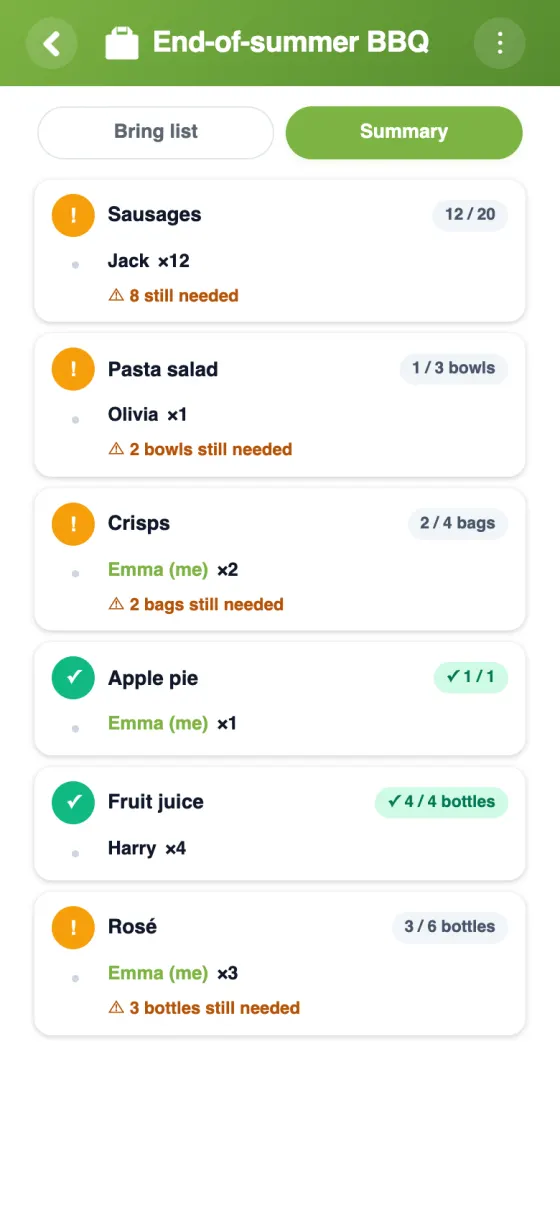
The Summary tab shows at a glance what's still missing.
Some items need exactly one person (the cake, the speaker). Mark it exclusive and the list enforces it.
Hide names between participants while admins still see who's bringing what.
Coordinate in the same group: chat, expenses, gallery, itinerary — all next to the list.
How it works
The organiser lists what is needed (drinks, dishes, gear…). Each participant taps "I'll bring it": no more duplicates, and nothing forgotten.
| Feature | YouTim Bring List | Google Doc / Sheet | WhatsApp poll |
|---|---|---|---|
| No third-party account needed | ✓ | Google account | WhatsApp account |
| Target quantities & progress | ✓ | manual | ✗ |
| Fractional sign-ups | ✓ | manual | ✗ |
| Summary of what's missing | ✓ | columns | ✗ |
| Exclusivity (one person per item) | ✓ | ✗ | first to reply |
| Tied to chat, budget, gallery | ✓ | ✗ | ✗ |
| Push notifications | ✓ | ✗ | ✓ |
| Ad-free, GDPR & EU | ✓ | US | US |
Comparison for informational purposes, based on publicly known 2026 features.
20 friends, one dinner. List starters, mains, desserts, drinks with target counts. Each person picks what they bring; the host sees the menu balance at a glance.
Cake (exclusive — one cake!), decorations, paper plates, music gear. The summary shows at a glance what's still missing.
Tents, stove, headlamps, group food. Use the open-list option so anyone can add the thing they remembered last minute.
Boxes, tape, dolly, snacks for the helpers. Target counts make sure you have enough hands and supplies on the actual day.
Christmas, Thanksgiving, big Sunday lunch: spread the load across the family. Anonymity hides who's bringing what when surprises matter.
Match-day snacks, water bottles, first-aid kit. Set a target per item: everyone sees what's left to bring.
Yes, entirely free, with no in-app purchases and no ads.
Listing what needs to be brought to an event and letting everyone commit to what they'll bring. Each item can have a target quantity, a unit and a note.
Yes. Five people can each bring 2 bottles until the 10 planned are reached: no one can commit beyond that, and YouTim shows what is still left to bring.
The list is attached to the YouTim: the members are already there, no one can pledge more than planned, and the “Summary” tab shows what is still missing. Optionally, an item can be reserved for a single person.
Yes, if the admin turns on the option. Editing or deleting an item remains reserved for the admin.
Yes, only the YouTim's members see it. In “anonymous view”, everyone sees how many people have signed up, but not who.
Organizing who brings what is the unsung admin task behind every group event. People fall back on long chat threads, half-tracked Google Docs, or signup forms that nobody refreshes. YouTim Bring List makes this part of the group's shared space: participants are already in, the list is the same for everyone, and the host doesn't chase replies.
The classic case: a dinner where everyone brings a dish. List starters, mains, desserts and drinks, put target counts where balance matters (one dessert per 3 guests), and the list balances itself as members sign up.
A weekend camp or hike has different load: gear, food, group equipment. Fractional quantities let two people share a stove or three split the group meal, while exclusivity protects items that should be brought by exactly one person (the tent, the first-aid kit).
Anything that brings a group together to collectively contribute stuff: birthdays, baby showers, moving day, school events. Target quantities prevent duplicates, and the summary shows what's missing.
The list is fully part of the group: tied to the chat for coordination, the calendar for the event date, the budget to split costs, and the gallery for after-event photos.
No advertising, no AI on your data. Your lists stay private to the group, hosted in Europe.