
Track roommate accounts
Rent, groceries, utilities, cleaning: every expense logged, each balance adjusted. No more spreadsheet maintenance, no more "I already paid that" arguments.
YouTim Service
Expense splitting built for groups: log who paid, YouTim calculates the repayments. Multi-currency, free.
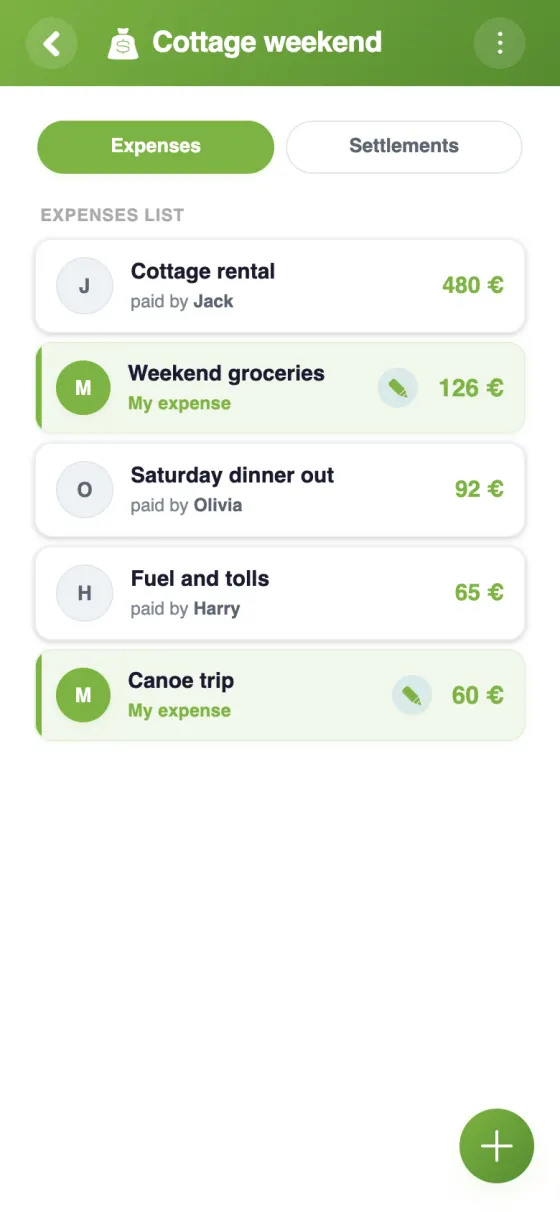
One expense, one payer, beneficiaries: everyone's balance adjusts with each expense.
Each expense updates every member's balance. No more hand calculations.
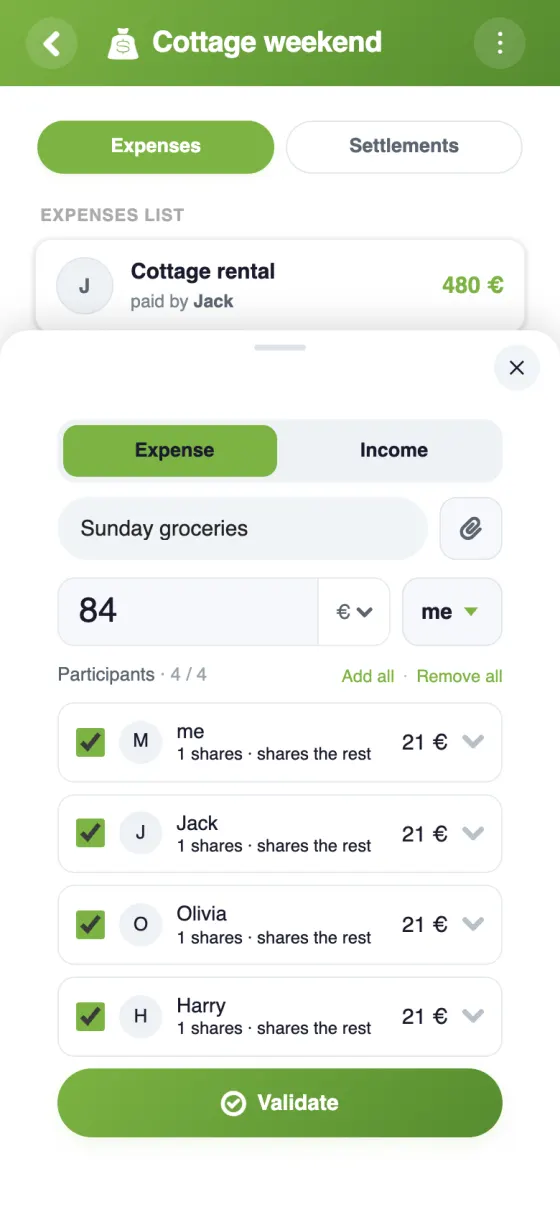
Equal or weighted shares, fixed amounts, excluding some members: each expense is split just right.
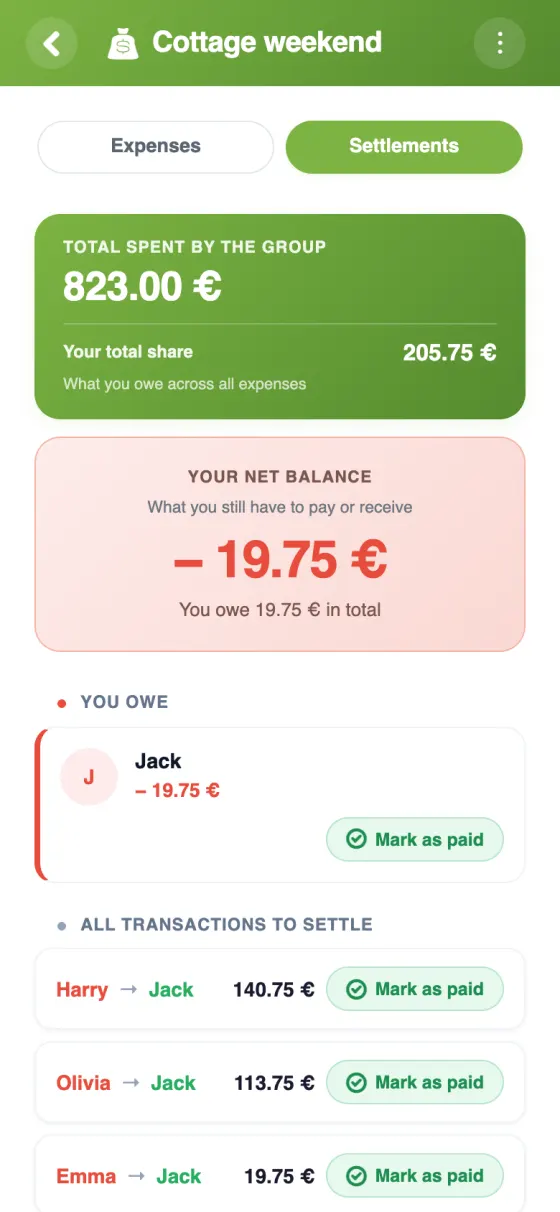
YouTim suggests who repays whom, with few transfers, and the "Pay" button opens Wero, Revolut or PayPal.
One main currency (€, $, £, CHF), and each expense in any of 160+ currencies, converted at the day's rate.
Question about an expense? Discuss it in the same group's chat.
How it works
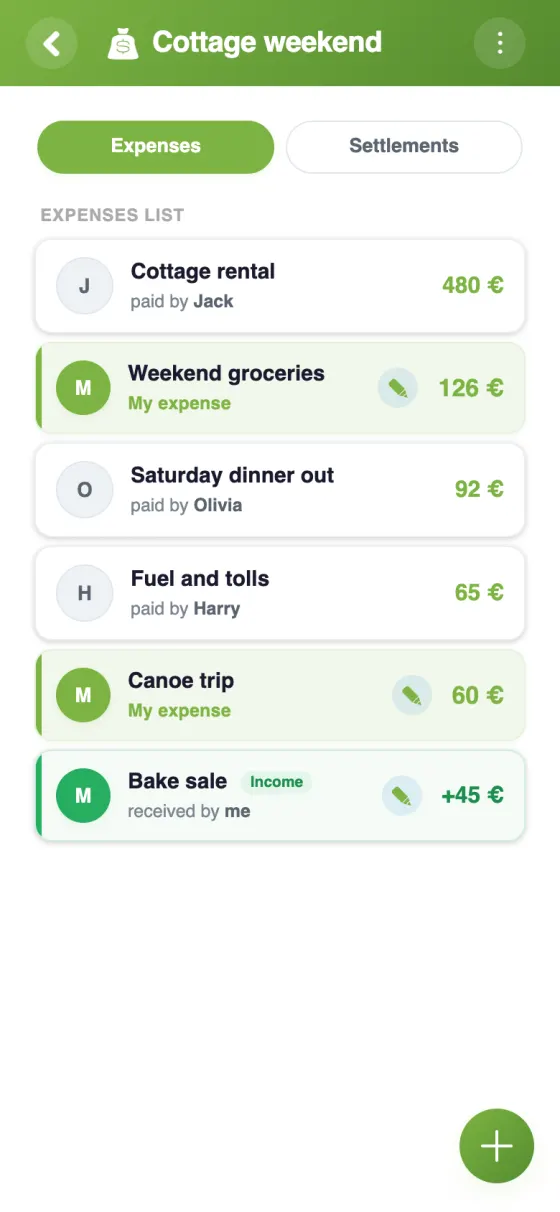
Add an expense (who paid, for whom, how much) or an income (membership fee, sale, donation received…). YouTim computes the balances and suggests the simplest repayments. Perfect for a trip, a flatshare, an association or a club.
A European, private alternative to US expense-splitting apps.
| Feature | YouTim Budget | Tricount | Splitwise free |
|---|---|---|---|
| Free | ✓ | ✓ | limited |
| Auto balances & suggested repayments | ✓ | ✓ | ✓ |
| Multi-currency | ✓ | ✓ | ✓ |
| Tied to group chat | ✓ | ✗ | ✗ |
| Tied to calendar and lists | ✓ | ✗ | ✗ |
| Ad-free | ✓ | free tier | free tier |
| GDPR & EU hosting | ✓ | ✓ | US |
Comparison for informational purposes, based on publicly known 2026 features.
Six contexts where expense splitting simplifies life.
Rent, groceries, utilities, cleaning: every expense logged, each balance adjusted. No more spreadsheet maintenance, no more "I already paid that" arguments.
Hotel, rentals, restaurants, tolls: log along the way, at trip's end YouTim proposes the transfers to settle the group. Zero math.
Witnesses front the money, but who owes how much? YouTim shows balances, repayments happen smoothly.
Track expenses (materials, events, meals) easily — who fronted what, who owes how much, balances at a glance.
Buying together to save? Log each delivery, YouTim computes each member's share. No more chasing checks.
Hiking club, amateur sports team, association project: recurring costs (gas, equipment, lodging) split fairly.
Yes, entirely free, with no in-app purchases and no ads.
Each expense records who paid and who it is split between. YouTim calculates everyone's balance and suggests who should pay back whom, keeping the number of transfers down. Once the repayment has been made, it is marked “paid” by the person paying back, the person being repaid or an admin.
Yes. For each expense, you choose who takes part, then each person's share: in shares (1 by default, adjustable in half-shares, for example 2 shares for a couple) or as a fixed amount. The two can be combined: those on shares split the rest. Incoming money can also be recorded and split the same way.
The budget has a main currency — euro, dollar, pound sterling or Swiss franc —, chosen when it is created and changeable later by the admin. Each expense can be entered in another currency, from more than 160: it is converted at the rate of the day it is entered.
YouTim never handles the money. If the person to be repaid has added their Wero, Revolut or PayPal, the “Pay” button opens their payment link or shows their Wero number; otherwise, repay them as usual, then mark the repayment as paid.
Each member adds the expenses they paid, and an admin can enter some on someone else's behalf. An expense can be edited or deleted by the person who paid it or by an admin, who can also lock the budget. A receipt (photo or file) can be attached to each expense.
The budget lives in the same YouTim as the chat, calendar and lists: the members are already there, with no second group to create and no invitations to send again.
When friends travel together, roommates manage finances, or a non-profit tracks expenses: splitting costs fairly is often a source of friction. Hand-edited spreadsheets, dedicated apps forcing you to recreate the group elsewhere, "who paid what" debates… YouTim Budget integrates expense splitting at the heart of the group.
Each logged expense instantly updates every member's balance. See who's owed and who owes at a glance.
At trip's end, YouTim proposes the list of transfers that settle the accounts, pairing the biggest debtors with the biggest creditors to keep their number low. If the person to repay has added their Wero, Revolut or PayPal, the "Pay" button takes you straight there.
Not everyone drinks wine at dinner, some arrive late on a weekend, others skip an activity: custom splitting lets you exclude or weigh each member per expense.
Unlike Tricount or Splitwise (isolated silos), YouTim Budget lives in the same YouTim as the chat, calendar and lists.