Use case · Bring list
The Christmas potluck,
shared fairly between households
Turkey, trimmings, puddings, drinks: list what Christmas dinner needs, let each household sign up, and see what's still missing before the big day.
Christmas dinner without the stress
The whole family pitches in, and nobody brings the same trifle.
- 🦃
The full menu
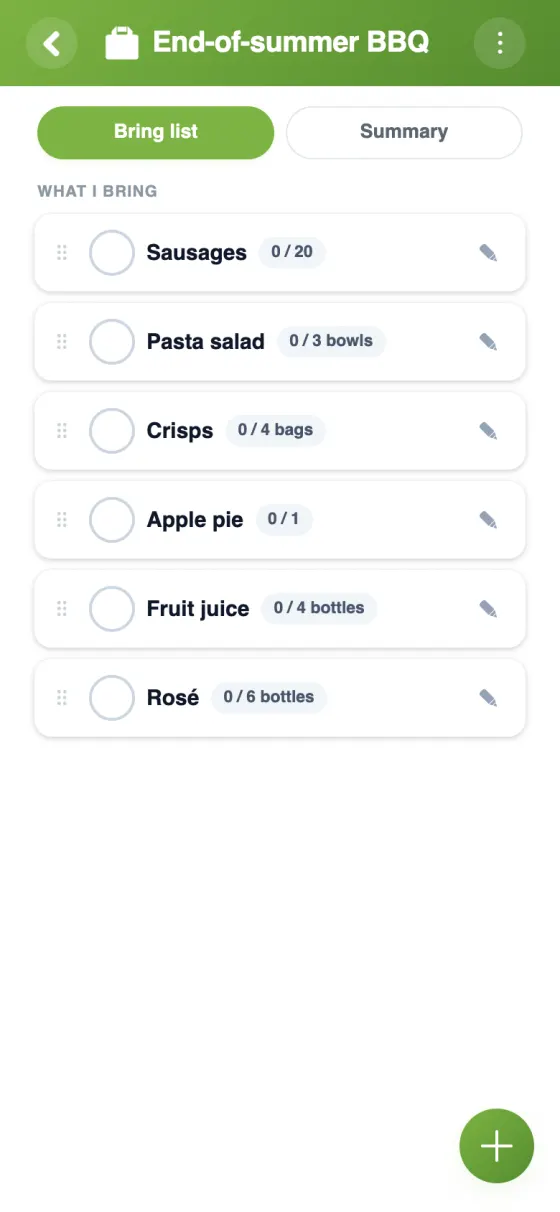
List the turkey, the trimmings, puddings and drinks, each with a target quantity.
- 🏠
Shared between households
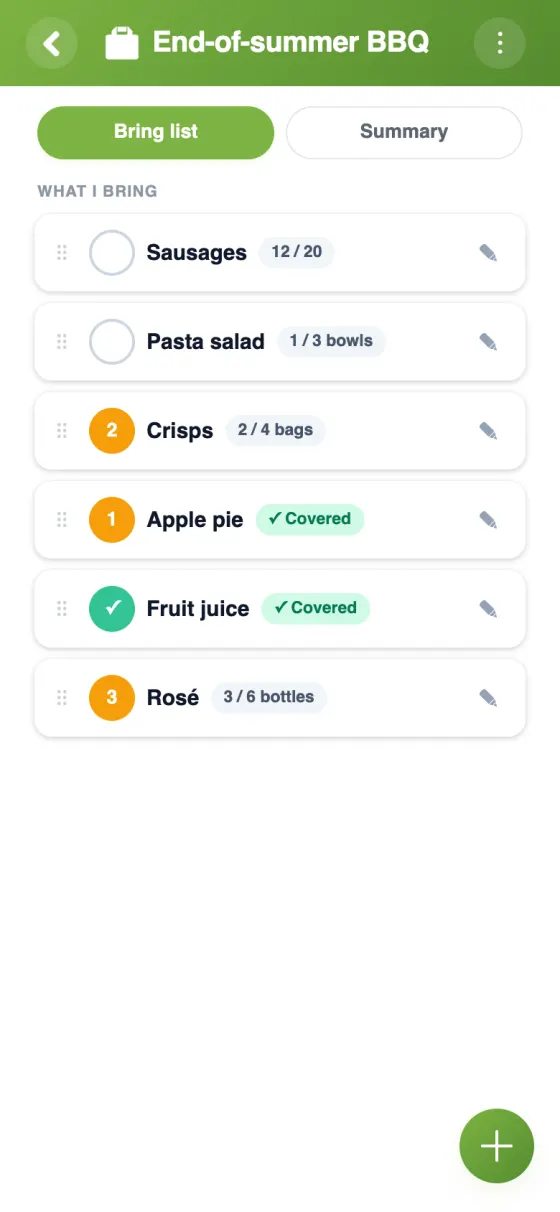
Each family signs up for what it brings, so the host isn't left doing everything.
- 🤝
Split the big items
Two households can share the drinks: each signs up for part of the 12 bottles.
- 🎂
One-of-a-kind items
Reserve the Christmas pudding or the cheeseboard for a single person.
- 🎁
Keep the surprises
In anonymous view, everyone sees how many have signed up, not who.
- 📊
What's still missing
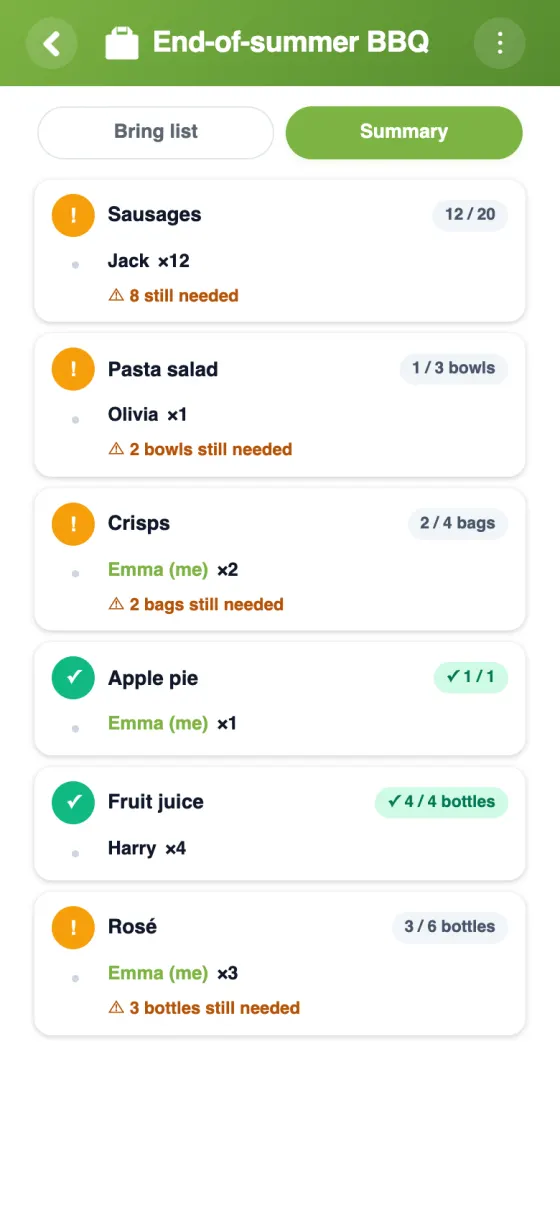
The Summary tab shows what nobody has signed up for yet.
Your Christmas list in YouTim
List the dishes, let each household commit to quantities, and check the summary.
Plan your Christmas potluck in 5 minutes
Christmas and Thanksgiving potlucks, organised together
Christmas dinner for fifteen is a lot for one kitchen. A Christmas pot luck spreads the cooking across households, as long as someone keeps track of who's bringing what. That's exactly what the bring list does.
A Christmas potluck sign up sheet for the family
Add items course by course: starters, the turkey or nut roast, roast potatoes, sprouts, pigs in blankets, gravy, Christmas pudding, mince pies, cheese and drinks. Give each a target quantity and a unit, and add a note where it helps. Each household signs up for all or part of an item, and nobody can promise more than planned.
Keep the surprises with anonymous view
Some contributions are better kept secret until the day, like Gran's famous trifle or a homemade cake. In “anonymous view”, everyone sees how many people have signed up, but not who. Admins still see the full picture, so the host knows nothing is missing.
Friendsgiving and Thanksgiving potluck lists
The same list works for a Thanksgiving potluck or Friendsgiving: turkey, stuffing, mashed potatoes, cranberry sauce, pumpkin pie. If the admin turns on the option, guests can add dishes of their own; editing or deleting items stays with the admin. Holding the dinner at work instead? See our coworkers page.
A Christmas party potluck with friends
For a Christmas party with friends, add the music, extra chairs and paper plates alongside the food, and reserve the cake for one person so only one turns up. For other dinners through the year, see our potluck sign up sheet guide, and for the rest of family life, the family organiser app page.
Frequently asked questions
Is the Christmas potluck list free?
Yes, entirely free, with no ads and no in-app purchases.
Can I keep secret who brings what?
Yes: turn on “anonymous view”. Members see how many have signed up for an item, but no names; admins keep the full list.
Can two households share one item?
Yes. Each signs up for part of the target quantity, for example 6 of 12 bottles, and YouTim shows what's still left to bring.
Can grandparents join without a smartphone?
Yes. They can use YouTim in a web browser, with an account created from an email address and no phone number.
Can we use it for a work Christmas potluck?
Yes. Create a YouTim for your team: up to 200 members can join, and each person signs up for what they'll bring.
Can guests suggest dishes?
Yes, when an admin allows members to add items. Changing or removing an item stays an admin job.
 YouTim
Your whole group in one place.