Use case · Bring list
The potluck sign up sheet
that balances the menu for you
Starters, mains, desserts, drinks: list what's needed with target quantities, let everyone sign up, and see at a glance what's still missing.
A potluck list that does the maths
No more six potato salads and no pudding.
- 🥗
Courses and quantities
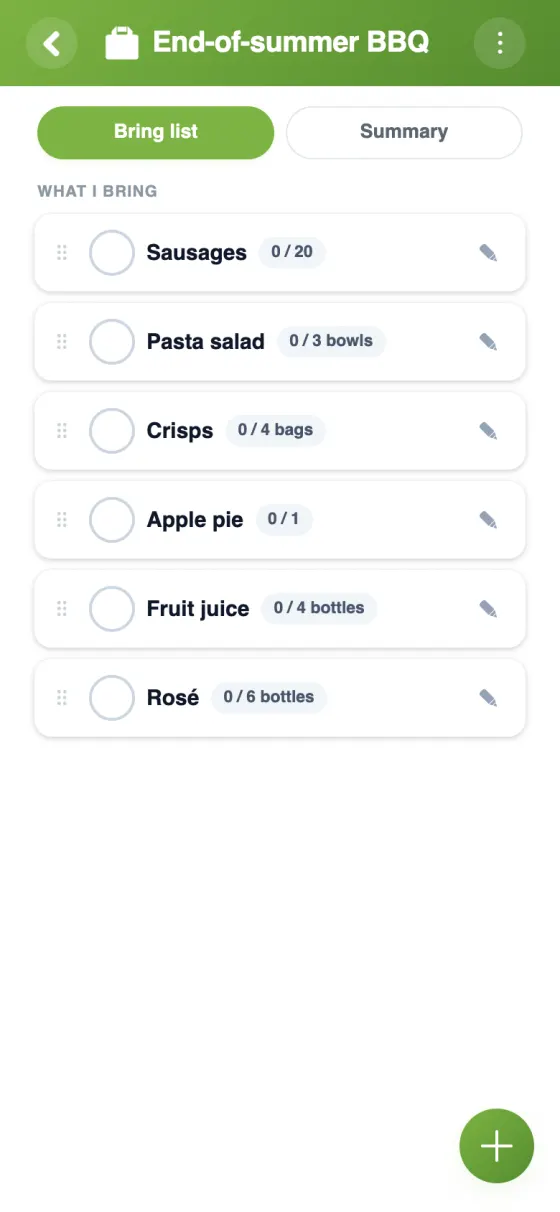
Add each item with a target quantity, a unit and a note: 5 mains, 4 desserts, 12 bottles.
- 🤝
Split sign-ups
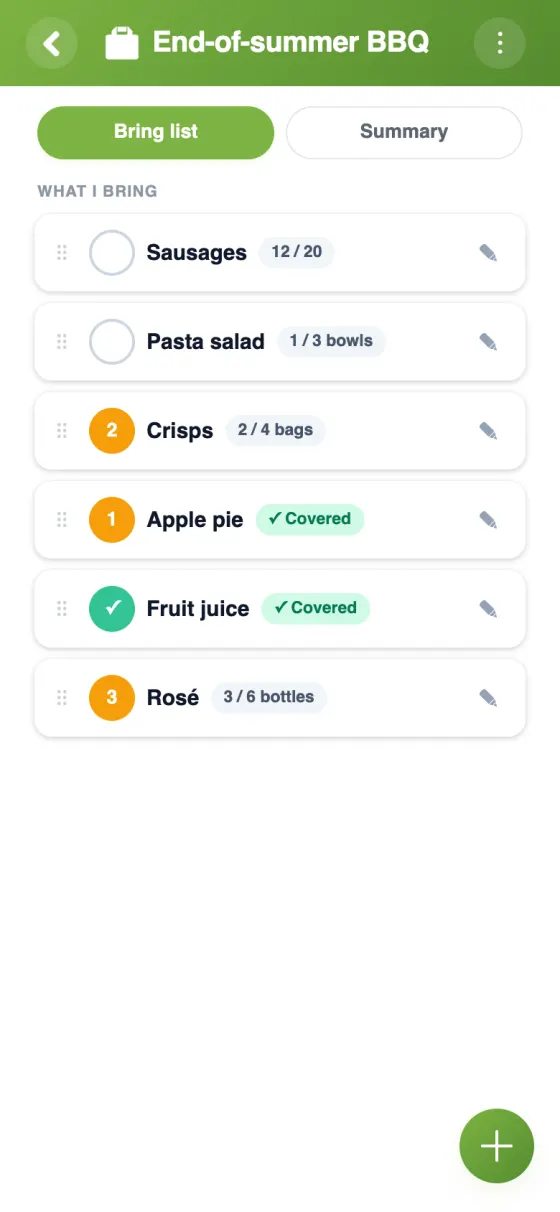
Several guests can share one item: five people each bring 2 bottles until the 10 planned are reached.
- 🛑
No over-promising
Nobody can sign up for more than the quantity planned, so dishes don't double up.
- 🎂
One-person items
Reserve an item for a single person: one cake, one barbecue, one speaker.
- 📊
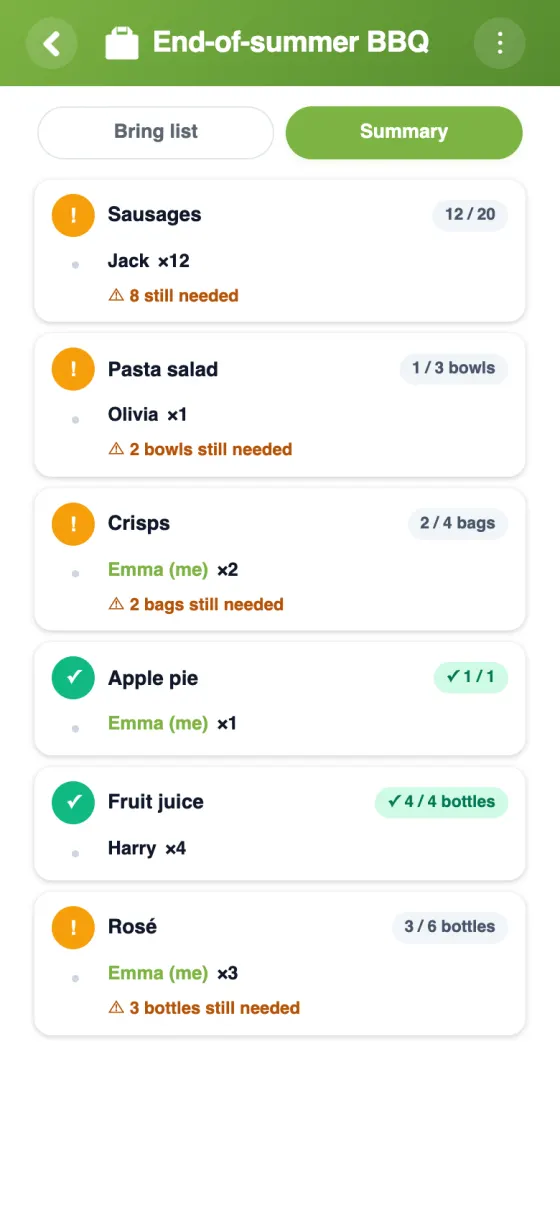
The Summary tab
See at a glance what's covered and what's still missing.
- 🕶️
Anonymous view
Guests see how many people signed up, but not who. Admins still see who brings what.
Your potluck list in YouTim
List what's needed, let guests commit to quantities, and check the summary.
Set up your potluck in 5 minutes
How to organise a pot luck dinner
A pot luck dinner works when the menu balances itself: enough mains, a few desserts, drinks for everyone. A sign-up list makes that happen without a long chat thread or a spreadsheet nobody updates.
A free potluck sign up sheet, online
YouTim is free, with no ads and no in-app purchases, on iPhone, Android and in any web browser. Unlike a paper sheet or a shared document, the potluck list lives inside your group: guests are already members, and each signs up with their own account.
Building your potluck list
Start with the courses and set target quantities where they matter: for 20 guests, perhaps 4 starters, 5 mains, 4 desserts, bread for everyone and 15 bottles. Each item can have a unit (bottles, loaves, trays) and a note: vegetarian, nut-free, serves 8. Guests sign up for all or part of an item, and nobody can pledge more than planned.
If an admin turns on the option, guests can add their own items, like the homemade lemonade nobody thought of. Editing or deleting items stays with the admin.
Things to make for a pot luck
Potluck favourites travel well and feed a crowd: a big lasagne, chilli, curry, quiche, pasta salad, a tray of roast vegetables, brownies or a crumble. List a few as items to give guests ideas, or add broader items such as “Main course” with a target of 5 and let people choose. The note is handy for allergies.
A potluck for every occasion
The same sign-up list works for a holiday pot luck, an Easter lunch, a Super Bowl night, a St Patrick's Day party or a summer barbecue. For Christmas or Thanksgiving with the family, see our Christmas potluck guide; for get-togethers, our friends page. Need to pick a date first? Add a poll to the same YouTim.
Frequently asked questions
Is this potluck sign up sheet free?
Yes, entirely free, with no ads and no in-app purchases.
Can two guests share one dish?
Yes. Each person signs up for part of the target quantity, and YouTim shows what's still left to bring. Nobody can commit beyond what's planned.
Can guests add their own dishes?
Yes, once an admin turns that option on. Only admins can then edit or remove items.
Can I hide who's bringing what?
Yes. With “anonymous view”, guests only see the number of sign-ups for each item, not the names. Admins still see them.
Do guests need to install an app?
No. They can sign up from a web browser, with an account created from an email address and no phone number.
Is the list private?
Yes. Only the members of your YouTim can see it.
 YouTim
Your whole group in one place.