Use case · Poll
A free Doodle alternative
that lives inside your group
Offer a few dates, everyone answers in one tap and the best one stands out. The poll sits right next to your group's chat and calendar.
What a YouTim date poll gives you
The Doodle habit, kept in your group's private space.
- 📅
Several dates to choose from
Write the possible dates, up to 20 choices; everyone ticks the ones that suit them.
- 🤷
Yes, no or “if necessary”
The admin can add the “if necessary” answer for back-up dates.
- 🔔
Nudge the latecomers
Anyone who hasn't voted gets a notification, or an email if they don't have the app.
- 🚫
Free and ad-free
No ads and no in-app purchases, for the organiser and the voters alike.
- 👥
The right people
Only the YouTim's members vote: no link drifting around among strangers.
- 🗓️
Then on to the calendar
Once the date is chosen, add it to the same group's calendar, with reminders before the day.
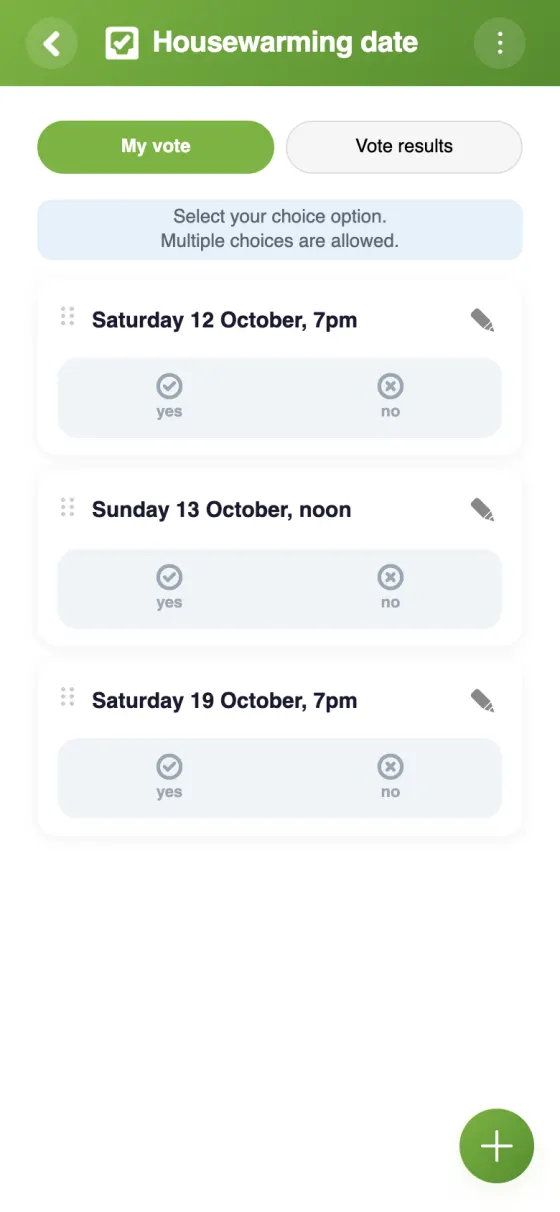
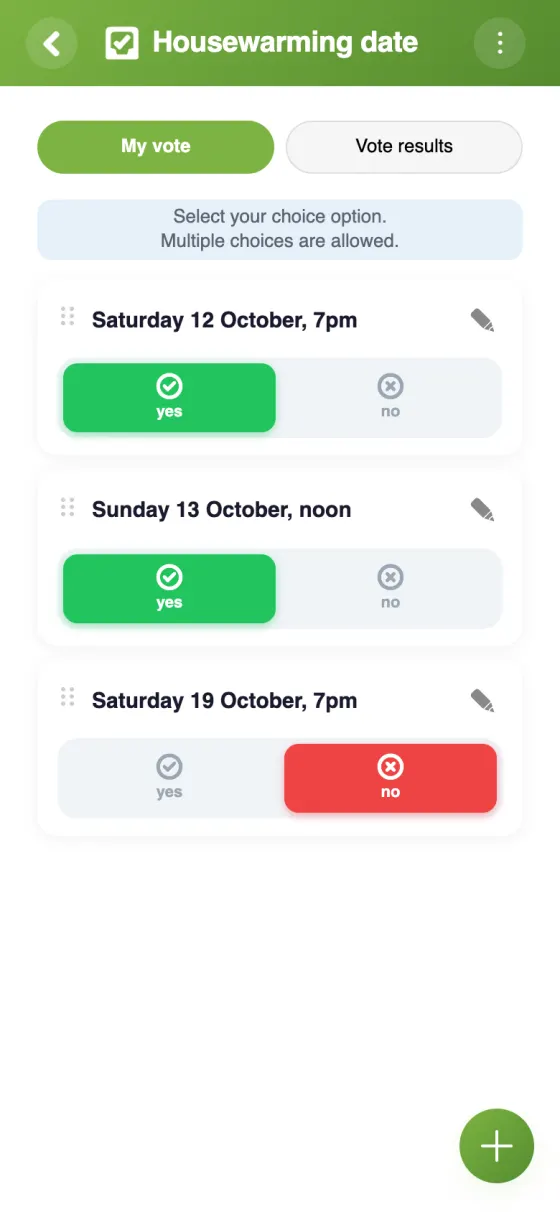
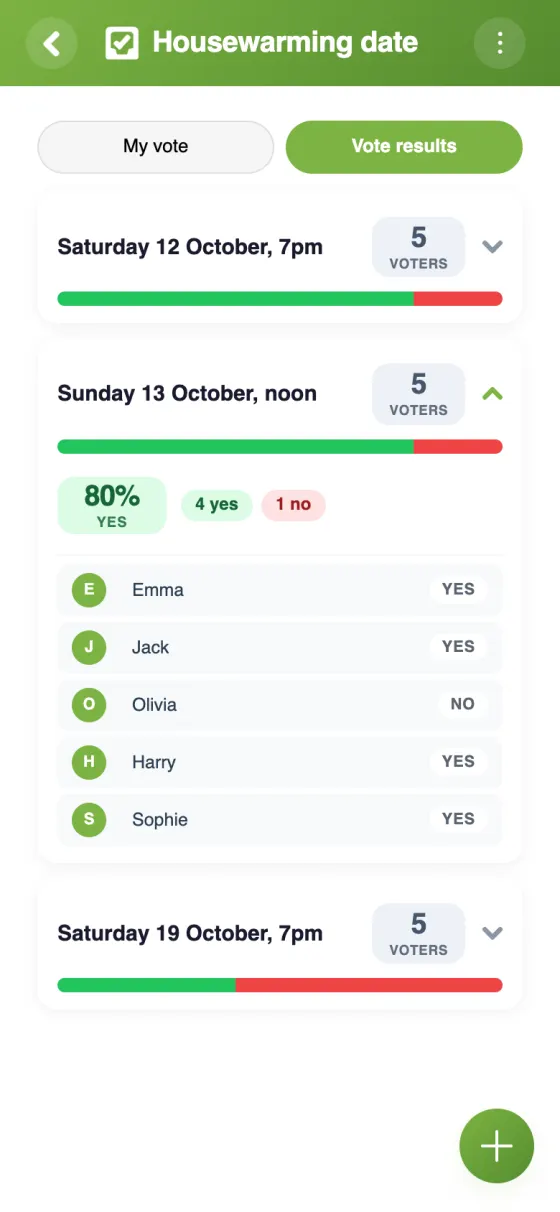
The date poll in YouTim
The dates on offer, one-tap voting and the result at a glance.
Run a date poll in 2 minutes
Doodle or YouTim: two ways to find a date that works
Whether you came looking for a Doodle or a When2meet alternative, the goal is the same: find the one evening, meeting slot or weekend that suits most people. Here is what Doodle does well, and what changes when the poll lives inside your group.
What Doodle does well
Doodle is the go-to tool for scheduling: you send a link, and participants reply for free, with no account needed. That's ideal when you're polling people who don't know each other. Doodle also offers booking pages, one-to-one meetings and sign-up sheets.
Doodle for scheduling: what the free plan includes
As of November 2026, Doodle's free plan lets you create one group poll per account. Deadlines, automatic reminders, hiding participants and an ad-free experience come with the paid plans. For a one-off, that may be all you need; for a group that decides things every week, it's worth a look elsewhere.
A free Doodle alternative with no ads
The YouTim poll is free, with no ads and no in-app purchases. You offer up to 20 dates, everyone answers yes or no, and the admin can allow “if necessary” or limit people to one choice each. Reminding non-voters is included: one tap does it.
Above all, the poll isn't a stand-alone link: it lives in the same YouTim as the group chat and the calendar. You talk it over in the chat, vote, then put the date in the calendar, without inviting anyone again.
Doodle for meetings, without the back-and-forth
Team meetings, club committees, residents' meetings: with private vote, each member only sees their own vote, while admins always see who voted for what. For everything else coworkers share, see YouTim for coworkers.
An availability poll for groups, without a phone number
In YouTim, every voter has an account: that's how you know who has replied and who to nudge. An email address is enough, with no phone number, and voting works in a web browser with nothing to install. To see how this compares with the other everyday apps, read WhatsApp, Tricount and Doodle in one app.
Frequently asked questions
Is the YouTim poll really free?
Yes: free, with no ads and no in-app purchases, on iPhone, Android and in a web browser.
Can people answer “if necessary”, like on Doodle?
Yes. As well as yes and no, the admin can add the “if necessary” answer, or allow only one choice per person.
How many dates can I offer?
Up to 20 choices per poll. Each choice can also have a photo, handy for picking between venues.
Are votes anonymous?
Not for admins, who always see who voted for what. With private vote, each member only sees their own vote.
Do people need an account to vote?
Yes: only the YouTim's members vote. An email address is enough to create an account; no phone number is required.
Does the chosen date go into the calendar?
You add it to the same YouTim's calendar: the members are already there, and each person can show it in Google Calendar, on an iPhone or in Outlook with “Sync with my calendar”.
 YouTim
Your whole group in one place.