Use case · Calendar
A shared calendar for friends,
so plans actually happen
Nights out, birthdays, weekends away, five-a-side: one calendar for your group of friends, with invitations, replies and a reminder the day before.
What a shared calendar changes for a group of friends
Fewer “who's in?” messages, more plans that happen.
- 📣
Invite all or a few
For each event, choose who's invited; guests get a notification as soon as it's created.
- ✅
See who's in
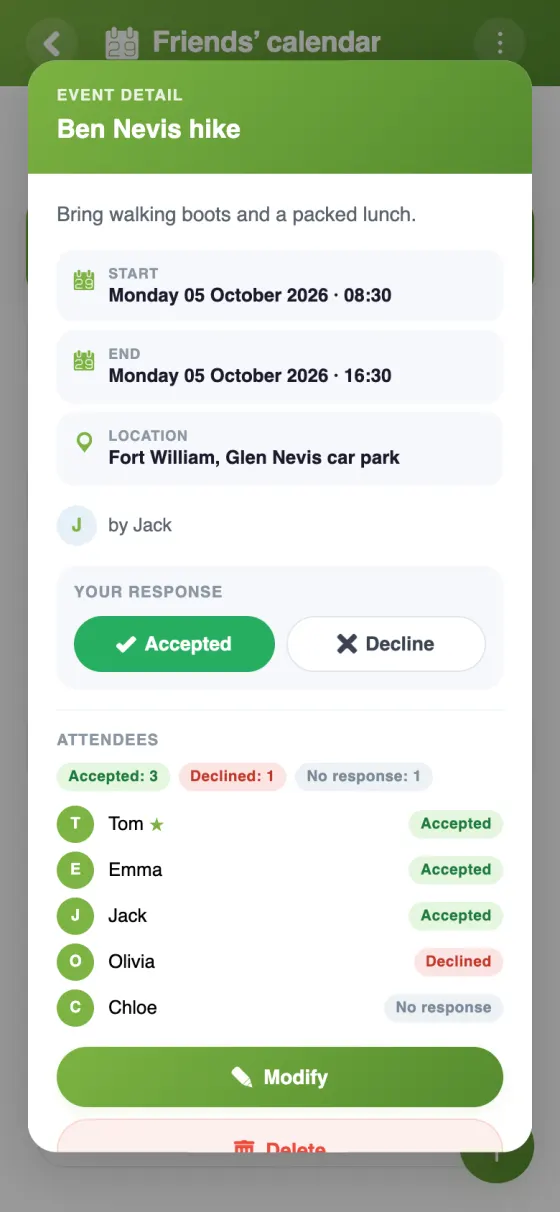
Each guest accepts or declines, and the creator is told who's coming.
- 📊
Pick the date first
Not sure when? Run a poll with a few dates, then put the winner in the calendar.
- ⏰
A reminder the day before
Or 10 minutes, an hour or a week before: fewer no-shows at the cinema.
- 💬
Comments on each event
Who's driving, where to meet, who's bringing the cake: it all stays with the event.
- 📅
In everyone's own calendar
Each friend can show the group's plans in Google Calendar, on an iPhone or in Outlook.
Your friends' calendar in YouTim
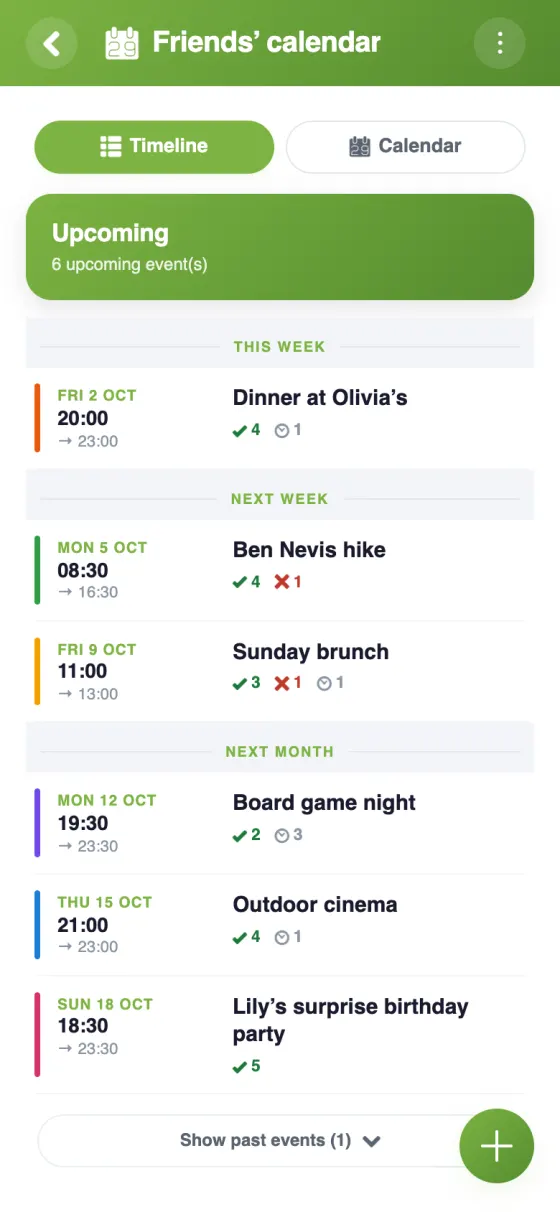
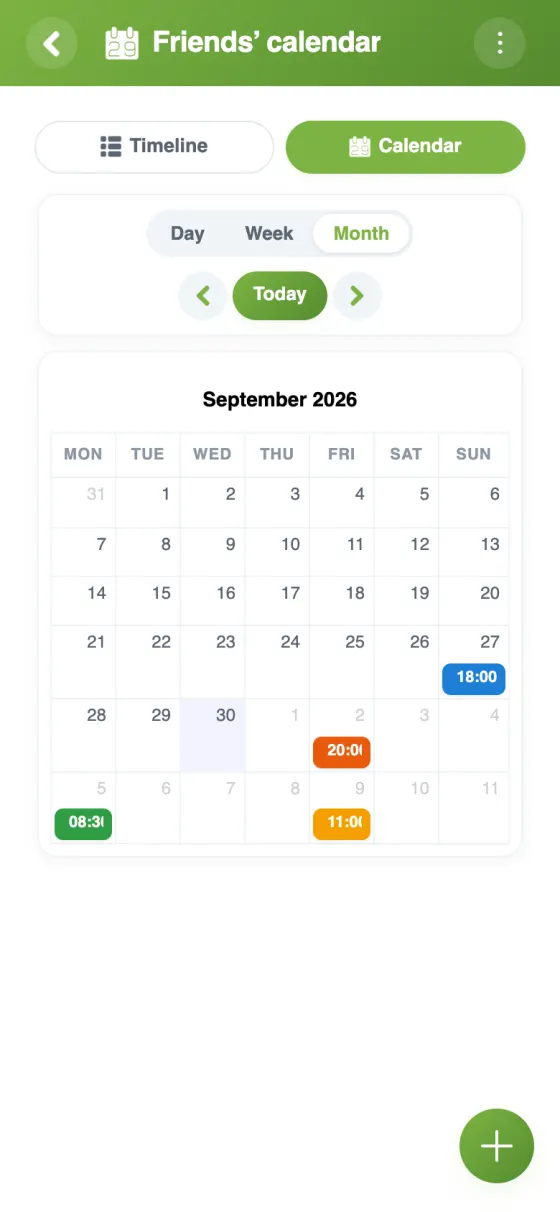
Upcoming plans, who's coming and the month at a glance.
Create a group calendar with your friends
A group calendar for friends that people actually use
Plans with friends tend to get lost in a busy chat: a date floated on Monday is buried by Wednesday. A shared calendar for friends keeps each plan in one place, with who's invited, who's coming and when to turn up. YouTim does that in a private space for your group, next to the chat and the other tools you may need.
A calendar app to share with friends, free and ad-free
The YouTim calendar is free, with no ads and no in-app purchases. It works on iPhone, Android and in a browser, so nobody is left out because of their phone. Friends sign up with an email address, or with Google or Apple, with no phone number required.
Group calendar scheduling: from date poll to event
When the date isn't fixed yet, start with a poll in the same YouTim: an admin adds a few dates, each friend answers yes or no for each one, and an “if necessary” answer can be turned on. Once a date wins, create the event and invite those concerned. The Poll page explains the rest.
A shareable group calendar, even for friends without an account
Some friends will never install another app. For them, an admin can turn on “Share as view-only” and send the link: they see upcoming events in their browser, and the “Follow in my calendar” button adds them to their own calendar. Nicknames are replaced by “A participant” unless the admin chooses to show them, and the link can be turned off at any time.
Regular plans, without retyping
The Thursday five-a-side, the monthly quiz night, everyone's birthday: set them up once as repeating events. A single date can be moved or cancelled on its own, and each guest replies date by date.
For the rest of group life, from shared costs to weekends away, see YouTim for friends.
Frequently asked questions
Is the shared calendar for friends free?
Yes, completely free, with no ads and no in-app purchases, on iPhone, Android and the web.
How do I create a group calendar?
Create a YouTim, add the Calendar service and invite your friends by link, email or text. Everyone sees the same events, and by default every member can add their own.
Do all my friends need the app?
No. YouTim works in a browser with just an account; the app adds push notifications. Friends without an account can also see upcoming events through a view-only link, if an admin turns it on.
Can we vote on a date before adding the event?
Yes, with the Poll service in the same YouTim: up to 20 choices, with a yes or no for each. Admins always see who voted for what.
Can I see our plans in Google Calendar?
Yes: “Sync with my calendar” gives each person a personal link for Google Calendar, the iPhone Calendar or Outlook, in read-only mode. Changes are made in YouTim.
Who gets reminded before a plan?
Every guest who hasn't declined, at the times chosen by the event's creator: 10 minutes, 30 minutes, 1 hour, 1 day or 1 week before.
 YouTim
Your whole group in one place.