Use case · Calendar
The family calendar app
everyone actually checks
Appointments, after-school clubs, birthdays, holidays: one calendar for the whole family, with reminders and everyone's replies.
What a shared family calendar changes
One calendar, easy for everyone to keep up to date.
- 👨👩👧
One calendar for everyone
Parents, kids, grandparents: everyone sees the same dates, on their phone or in a browser.
- ✅
Who's coming, who isn't
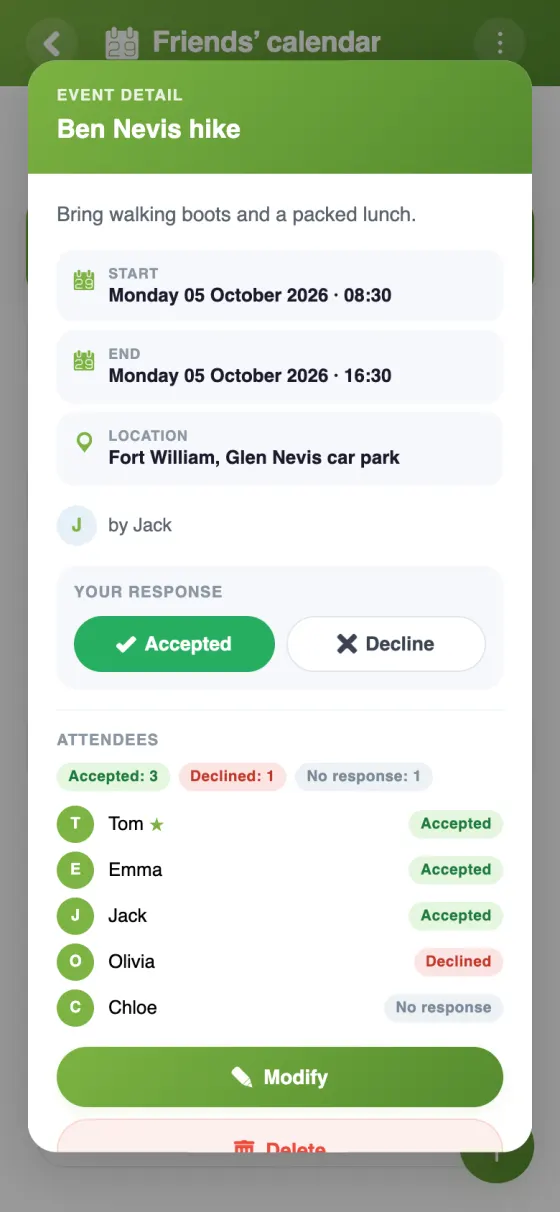
For each event, you choose who's invited; everyone accepts or declines, and you see the replies.
- ⏰
Reminders before each appointment
10 minutes, an hour, the day before or a week ahead: no more forgotten dentist or piano lesson.
- 🔁
Things that come back every week
Wednesday swimming or the custody week is set up once, as a repeating event.
- 📅
In your own calendar
Each person can show the family calendar in Google Calendar, on an iPhone or in Outlook.
- 💬
Details in the right place
Each event has its own comments: who drops off, who picks up, what to bring.
The family calendar in YouTim
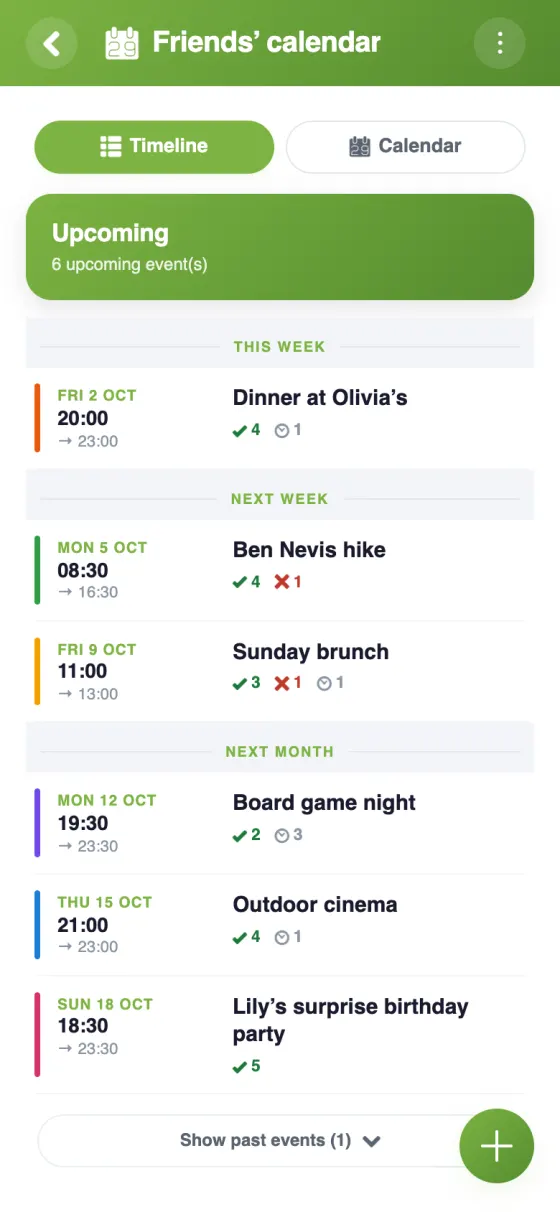
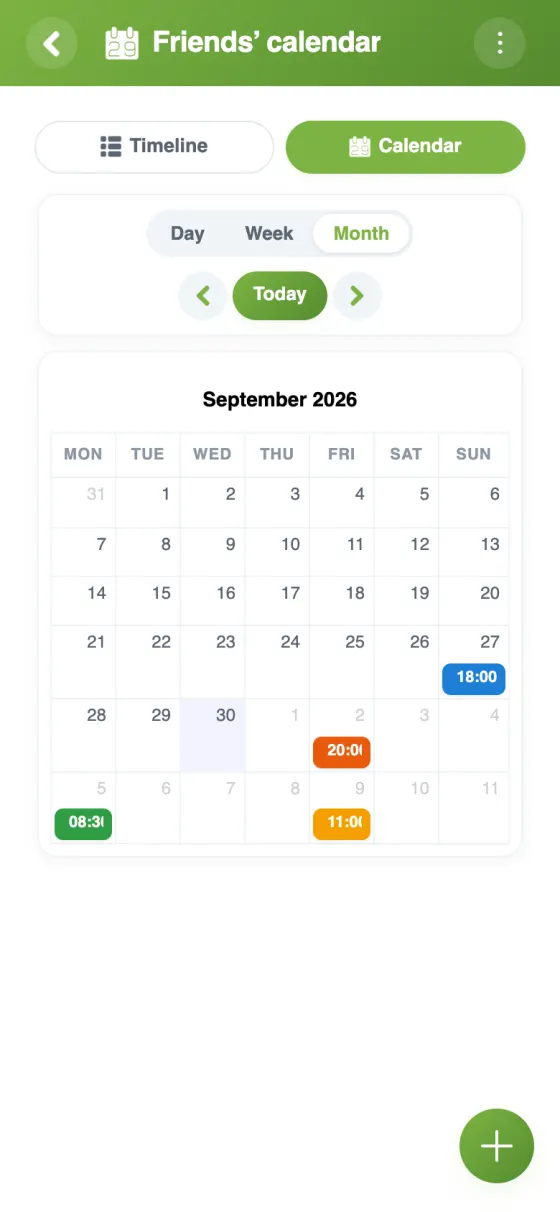
Upcoming events, the details of each one and the month at a glance.
Set up your family calendar in 5 minutes
A shared calendar built for families
A family calendar doesn't need to be complicated: it has to show everyone the same dates, give a nudge before appointments and say who'll be there. That's what the YouTim calendar does, in a private space just for your family.
A free family calendar app, with no ads
The YouTim calendar is free, with no ads and no in-app purchases. It works on iPhone, Android and in any web browser, so grandparents can check it on their computer without installing anything.
A shared family calendar that works with the calendars you use
Already using Google Calendar, the iPhone Calendar or Outlook? In the calendar's ⋮ menu, “Sync with my calendar” gives each person a personal link. Family events then appear in their own calendar and update automatically; changes are made in YouTim.
A family schedule for the week
A busy Wednesday, custody handovers, a weekend at the grandparents': the timeline shows what's coming up, and the month view gives the big picture. Repeating events (every week, every other week, every month) keep the schedule up to date without retyping, and a single date can be moved or cancelled on its own.
For everything else the family shares, from shopping to photos, see our family organiser app page.
A private calendar
Only the members of your YouTim see the calendar. For an event not everyone needs the details of, an admin can hide event details: others only see that the time slot is taken.
Frequently asked questions
Is the YouTim family calendar free?
Yes, completely free, with no ads and no in-app purchases, on iPhone, Android and the web.
Can the kids add events?
By default, every member can add events and edit their own. An admin can limit event creation to admins, for example the parents.
Can we see the family calendar in Google Calendar?
Yes: “Sync with my calendar” gives you a personal link to add to Google Calendar, the iPhone Calendar or Outlook. Google re-reads the link a few times a day.
Can we set up activities that repeat every week?
Yes: daily, weekly (on one or several days), every other week, monthly or yearly, with no end, until a date or for a number of times. Each guest replies date by date.
Do we get reminders?
Yes: the event's author picks one or more reminders, from 10 minutes to a week before. They arrive as a notification on each guest's phone, except for those who declined.
Do grandparents need to install an app?
No. They can check the calendar in a web browser, with an account created from an email address. The app adds notifications.
 YouTim
Your whole group in one place.