Use case · Calendar
A co-parent calendar
for a calmer custody schedule
Handovers, school holidays, after-school clubs: one shared calendar for both homes, so everyone knows where the children are each week.
What a shared co-parenting calendar changes
One schedule both homes can rely on.
- 🏠
One calendar, two homes
Both parents see the same dates, on their phones or in a browser, always up to date.
- 🔁
Week on, week off
The custody pattern is set up once, with a custom repeat every 2 weeks.
- ✏️
Swap a single date
A handover moves or a weekend changes: edit that one date without touching the rest.
- ⏰
Reminders before handovers
10 minutes, an hour, the day before or a week ahead, for every guest who hasn't declined.
- 🧒
Teens can follow along
Older children can join the calendar and check where they'll be, on their own phone.
- 🔒
Details for those concerned
An admin can hide event details: other members then only see that the time slot is taken.
The co-parenting calendar in YouTim
Upcoming handovers, the details of each one and the month at a glance.
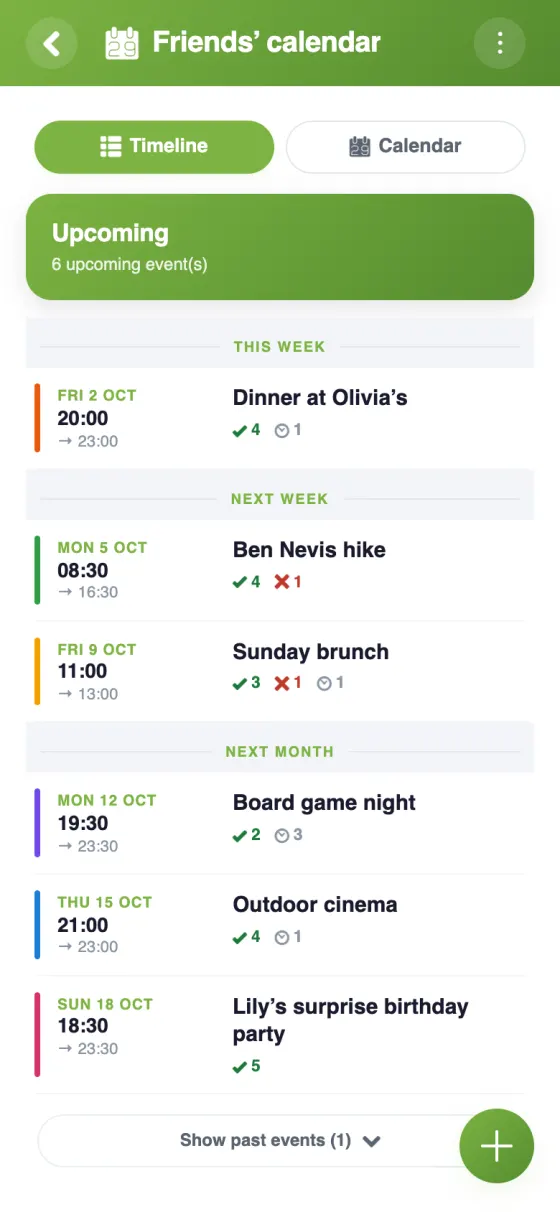
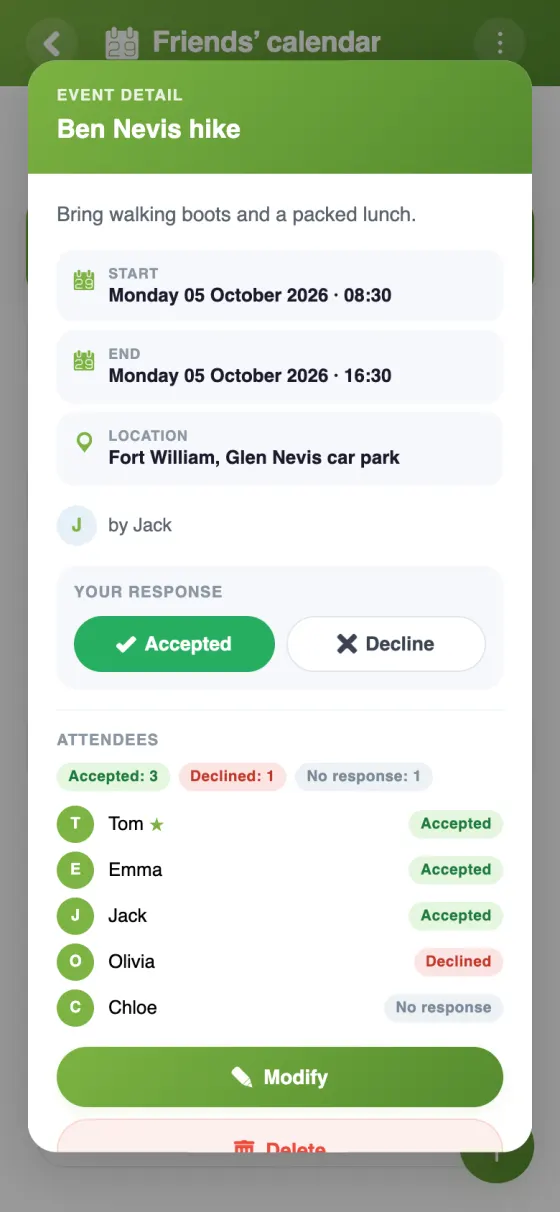
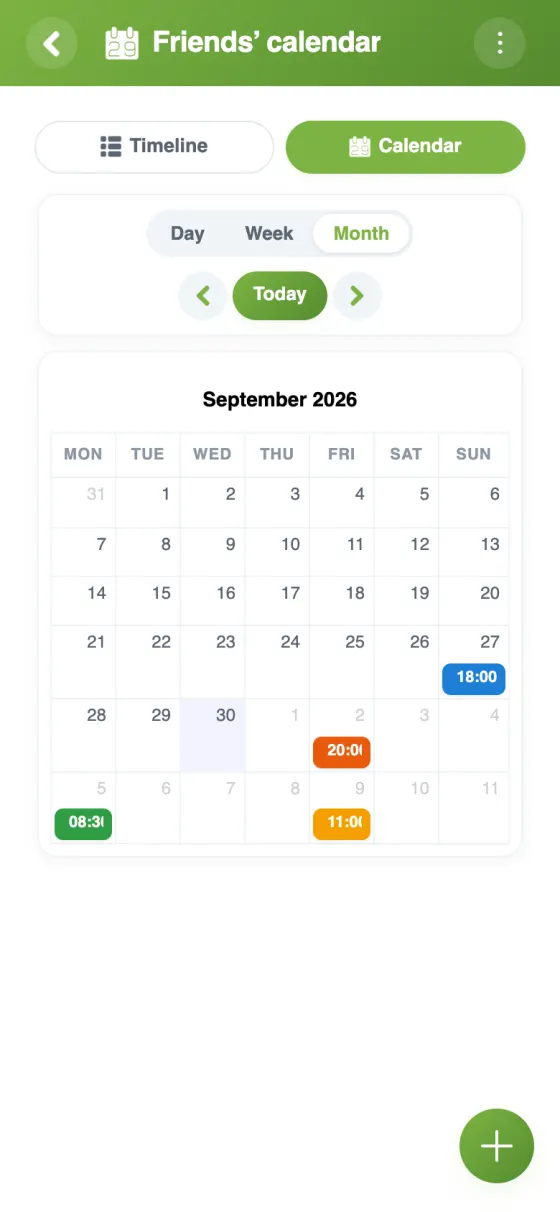
Set up your co-parenting calendar
A shared calendar for co-parenting, kept simple
When children live between two homes, the hardest part is often the schedule itself: whose week is it, who's doing the swimming run, which half of the holidays goes to whom. A co-parenting calendar app puts those answers in one place both parents can check, without a string of messages to confirm every detail.
A co-parent schedule that repeats on its own
Week on, week off is a fortnightly rhythm. In YouTim, create the Friday handover, choose “Repeat”, then “Custom…”, and set it to every 2 weeks. Add the other parent's handover the same way, starting the following week, and the pattern runs by itself: with no end, until a date, or for a set number of times.
Other patterns work too. A weekly repeat can fall on several days, and the custom repeat combines a two-week rhythm with chosen days, such as Monday and Tuesday every 2 weeks.
A custody calendar app that copes with exceptions
Real life rarely sticks to the pattern. A single date can be moved or cancelled on its own, and each guest replies date by date, so a swapped weekend is clear to both of you. Comments on each event cover the practical bits: PE kit, medicine, pick-up time.
A free co-parenting calendar app, on any phone
The YouTim calendar is free, with no ads and no in-app purchases. It works on iPhone, Android and in any browser. Signing up takes an email address, or a Google or Apple account; no phone number is needed.
Children, step-parents and privacy
Teenagers can join the YouTim and follow the schedule on their own phone. An admin can restrict event creation to admins, so the calendar stays in the parents' hands. When some events don't concern everyone, an admin can hide event details: members who aren't invited then only see that the time slot is taken.
For the rest of family life, see our family calendar and family organiser app pages.
Frequently asked questions
Is the co-parenting calendar free?
Yes, completely free, with no ads and no in-app purchases, on iPhone, Android and the web.
How do I set up a week-on, week-off schedule?
Create the handover event, choose “Repeat”, then “Custom…”, and set it to every 2 weeks. Add the other parent's handover the same way, one week later. A single date can then be moved or cancelled without changing the rest.
Can both parents edit the calendar?
Yes. Every member adds events and edits their own; admins edit all of them. Make the other parent an admin too, and limit event creation to admins if the children are members.
Can our children see the schedule?
Yes, if you invite them: they see the calendar in the app or in a browser. An admin can hide event details, so members who aren't invited to an event only see that the time slot is taken.
Can I see the custody schedule in my own calendar?
Yes: “Sync with my calendar” gives you a personal link for Google Calendar, the iPhone Calendar or Outlook. It's read-only there; changes are made in YouTim.
Do we get reminders before a handover?
Yes: the event's author chooses one or more reminders, from 10 minutes to a week before. They arrive as a notification on each guest's phone, except for those who declined.
 YouTim
Your whole group in one place.