Use case · Calendar
A calendar app for couples,
so you both know the plan
Dinners, appointments, weekends away, visits to the family: one shared calendar for the two of you, with reminders, and still visible in your own calendars.
What a shared calendar changes for a couple
One place for the plans you make together.
- 💑
One calendar for two
You both see the same dates, on your phones or in a browser, without merging your personal calendars.
- ✅
Invite, accept, decline
Add an event, invite your partner, and see straight away whether they're in.
- ⏰
Reminders you choose
10 minutes, an hour, the day before or a week ahead: the anniversary dinner won't sneak up on you.
- 🔁
Plans that repeat
Friday date night, Sunday lunch at your parents' every month, birthdays every year: set up once.
- 📅
In your own calendar
Each of you can show the couple's calendar in Google Calendar, on an iPhone or in Outlook.
- 💬
A note on each event
Every event has its comments: who books the table, what to bring, what time to leave.
Your shared calendar in YouTim
Upcoming plans, the details of each one and the month at a glance.
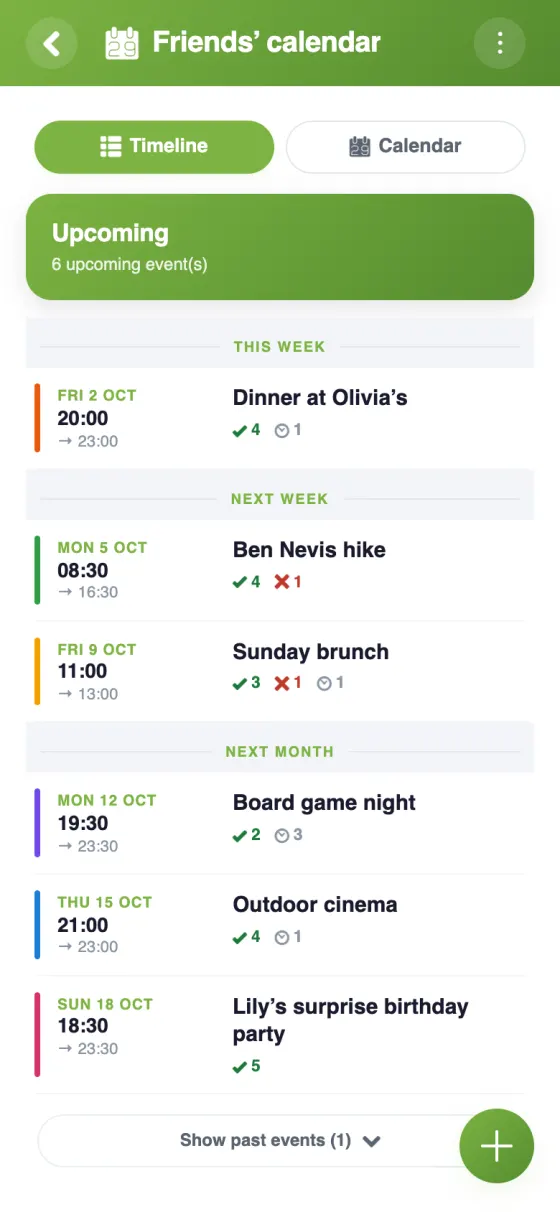
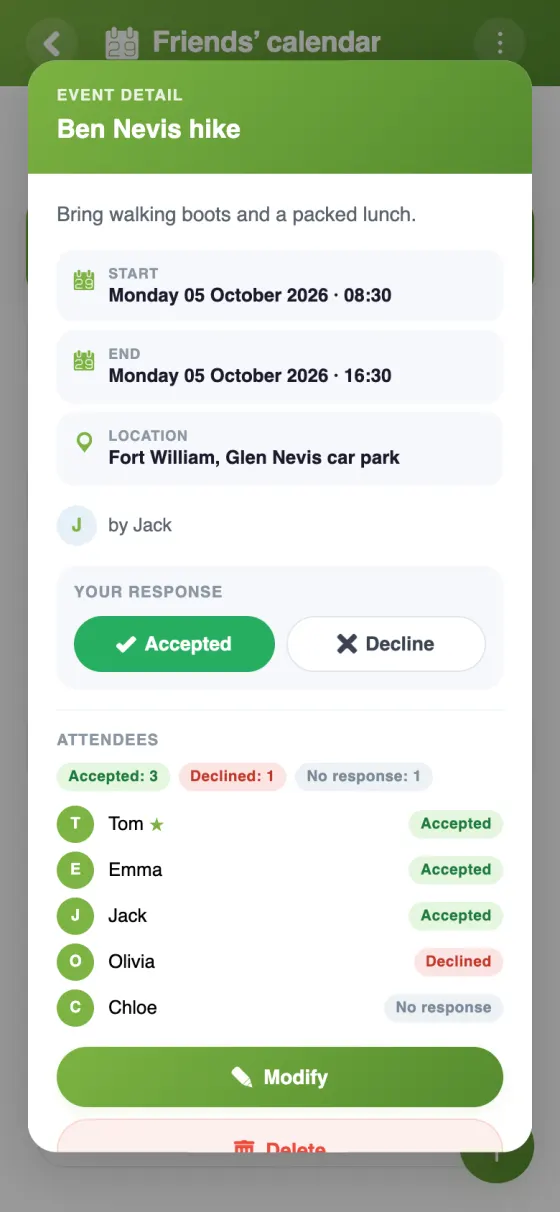
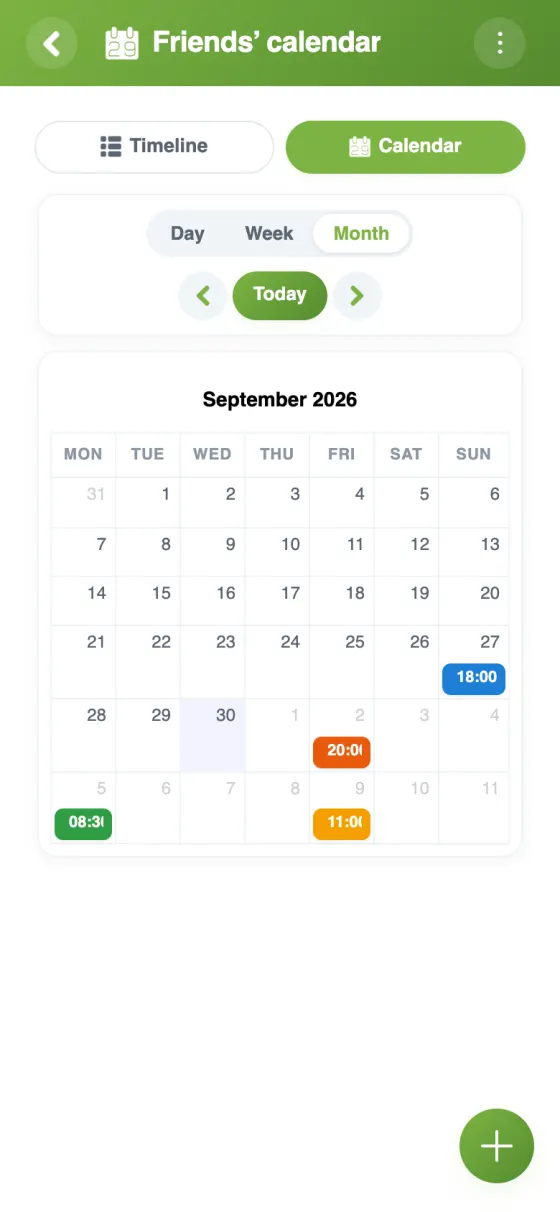
Set up your shared calendar in a few minutes
A joint calendar for couples, without the faff
Most couples juggle two calendars and a chat full of “are we free on the 14th?”. A shared calendar for couples sorts that out: the plans you make together sit in one place, and each of you keeps your own calendar for work and everything else. The YouTim calendar does exactly that, in a private space just for the two of you.
A shared calendar app for couples that's free
The YouTim calendar is free, with no ads and no in-app purchases. It runs on iPhone, Android and in any web browser, so it doesn't matter if one of you has an iPhone and the other an Android phone: you both see the same plans.
Calendar sync for couples: keep the calendar you already use
You don't have to give up your own calendar. In the calendar's ⋮ menu, “Sync with my calendar” gives each of you a personal link to add to Google Calendar, the iPhone Calendar or Outlook. Your joint plans then show up next to your own appointments and update by themselves; you create and edit them in YouTim.
What makes a good shared calendar for couples
Keep it simple: one event per plan, with a time, a place and a reminder. Replies tell you whether your partner is in, comments carry the small details, and the month view shows at a glance which weekends are already taken.
Plans that come back, like a weekly class or a monthly dinner with friends, are created once; a single date can then be moved or cancelled on its own.
Room to grow: family and friends
Many couples later add the people around them. Each group gets its own YouTim, so the plans you make with friends stay apart from the ones you share as a couple. When children arrive, have a look at our family calendar page; for nights out with your mates, see the shared calendar for friends.
Frequently asked questions
Is this calendar app for couples free?
Yes, completely free, with no ads and no in-app purchases, on iPhone, Android and the web.
Can we use it if we have different phones?
Yes. YouTim works on iPhone, on Android and in any browser, with the same account everywhere. You sign up with an email address, or with Google or Apple; no phone number is needed.
Will our shared plans show in my Google Calendar or on my iPhone?
Yes: “Sync with my calendar” gives each of you a personal link for Google Calendar, the iPhone, iPad and Mac Calendar, or Outlook. It's read-only there: events are created and changed in YouTim. Google re-reads the link a few times a day.
Can we set reminders?
Yes: whoever creates the event picks one or more reminders, 10 minutes, 30 minutes, 1 hour, 1 day or 1 week before. They arrive as a notification on the phone of each guest who hasn't declined.
Can we repeat events like date night?
Yes: daily, weekly on one or several days, monthly, yearly, or custom, for example every 2 weeks. A series can run with no end, until a date or for a set number of times.
Is our calendar private?
Yes. Only the members of your YouTim see it: no public profile, no ads, and your content is encrypted on our servers.
 YouTim
Your whole group in one place.