Use case · Budget
A free Splitwise alternative
built into your group
Who paid for what, who owes whom: the YouTim budget sits next to your group's chat, calendar and lists, with the same members.
What the YouTim budget does for your group
Repayments worked out, without leaving your group.
- ⚖️
Adjustable shares
1 share by default, adjustable in half-shares: 2 for a couple, a half for a child.
- 📌
Or a fixed amount
Shares and fixed amounts can be combined: those on shares split the rest.
- 🌍
160+ currencies
Any expense can be entered in another currency, converted at the day's rate.
- 🔁
Fewer transfers
YouTim suggests who pays back whom, keeping the number of transfers down.
- 💳
A “Pay” button
It opens the Revolut or PayPal link of the person to repay. YouTim never handles the money.
- 👥
The same members
No second group to set up: everyone in the chat is already in the budget.
Shared expenses in YouTim
The group's expenses, adding an expense, and who owes how much to whom.
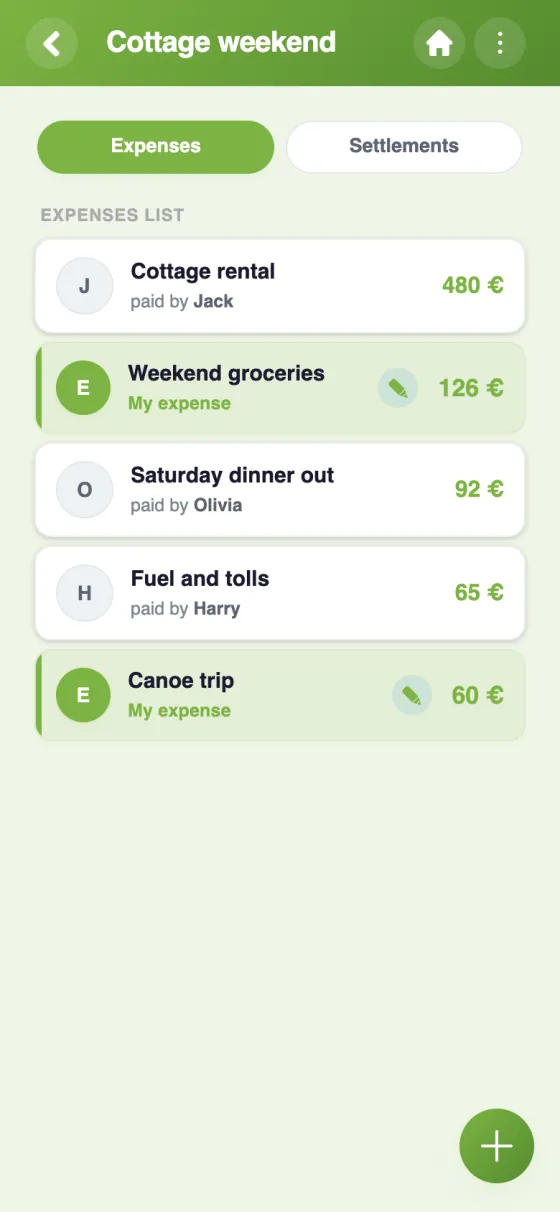
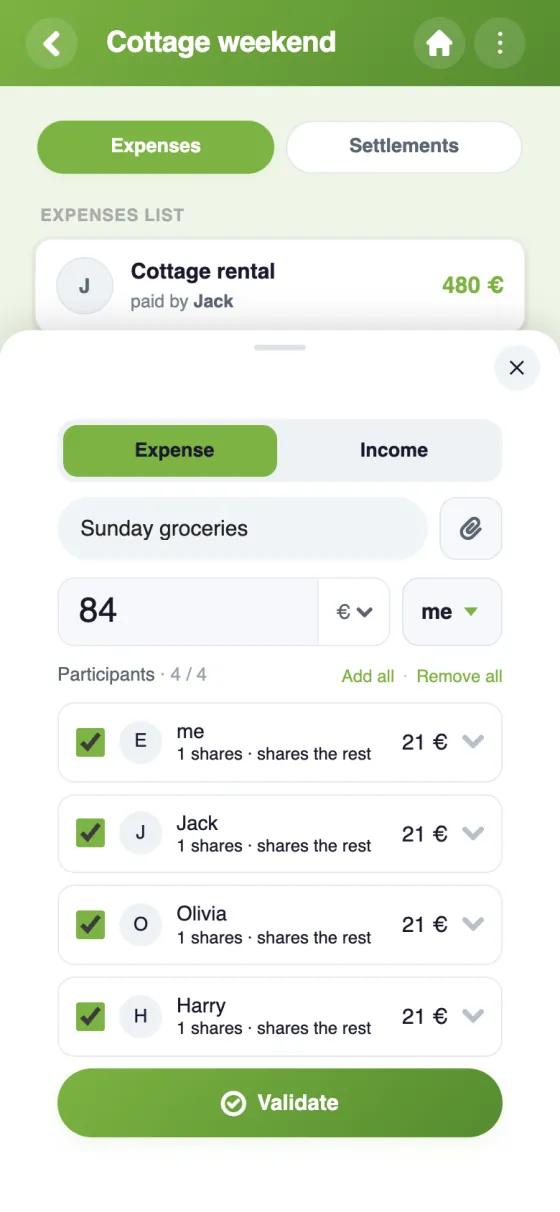
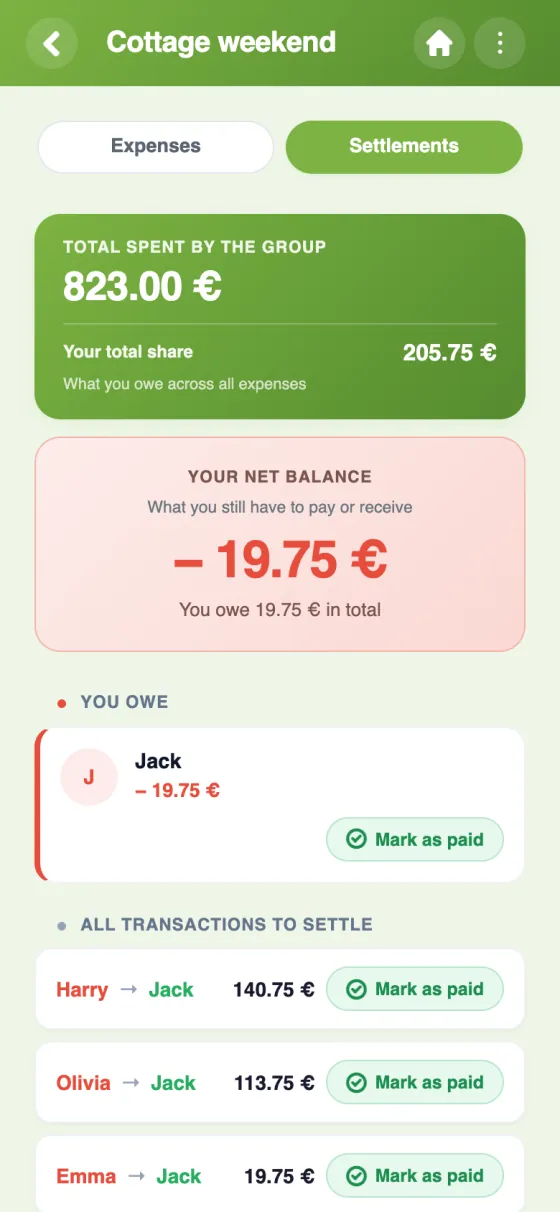
Switch to the YouTim budget in 5 minutes
Splitwise, Tricount or YouTim: which suits your group?
Splitwise and Tricount are the best-known apps for splitting costs, and they do that job very well. YouTim comes at it from the other side: the accounts are one of your group's services, alongside the chat, the calendar and the lists.
What Splitwise does well
Splitwise is free on iPhone, Android and the web. It simplifies debts, handles equal or unequal splits, by percentage or by shares, works with more than 100 currencies and has an offline mode. It's a mature, well-known tool, and many people already have an account.
Splitwise free vs Pro
On Splitwise, the Pro subscription lifts the limit on how many expenses you can add each day, removes ads and adds currency conversion, receipt scanning, charts and expense search (as listed on splitwise.com in November 2026). The YouTim budget is free, with no ads and no in-app purchases: there's no paid tier, so everyone gets the same features.
Apps like Splitwise, but tied to the whole group
The real difference is context. In YouTim, the budget lives in the same space as the group chat: you mention the petrol in the chat, add it to the budget, and vote on the next outing in a poll. Members are invited once for every service.
Each expense can carry a receipt, as a photo or a file. Once the transfer is done, the repayment is marked “paid” by the person paying back, the person being repaid or an admin.
A Tricount alternative too
Tricount describes itself as free, with no ads and no daily expense cap; you can try it without signing up, it converts currencies and it works offline. If you're happy with it for a single trip, it does the job. YouTim makes sense when the same people also need to chat, plan dates and keep lists, for a group trip or a houseshare.
And for a club?
When you create the budget, “Keep a club's accounts” replaces splitting between members: income and expenses by category, the balance, planned against actual figures, expense claims and a spreadsheet export. To compare the three everyday tools, read WhatsApp, Tricount and Doodle in one app.
Frequently asked questions
Is the YouTim budget free?
Yes: entirely free, with no ads and no in-app purchases, on iPhone, Android and the web.
Can I split an expense unequally?
Yes: in shares (adjustable in half-shares) or as a fixed amount, and the two can be combined. Incoming money can be split the same way.
Which currencies are supported?
A main currency (euro, dollar, pound sterling or Swiss franc), plus more than 160 currencies for entering an expense, converted at the rate of the day it's entered.
Does YouTim make the payments?
No, YouTim never handles the money. If the person to repay has added their Revolut or PayPal, the “Pay” button opens their payment link.
Can I import an existing Splitwise group?
Not automatically. The simplest way is to settle up the old group, then record new expenses in the YouTim budget.
Who can edit an expense?
The person who paid it or an admin. The admin can also lock the budget once everything is settled.
 YouTim
Your whole group in one place.