Use case · Chat
An app like WhatsApp,
with your group's tools built in
Chat as usual, then vote, set the date, split the costs and tick off the lists, without switching apps or inviting anyone again.
What YouTim Chat adds
The group chat you know, and everything around it.
- 💬
The chat you know
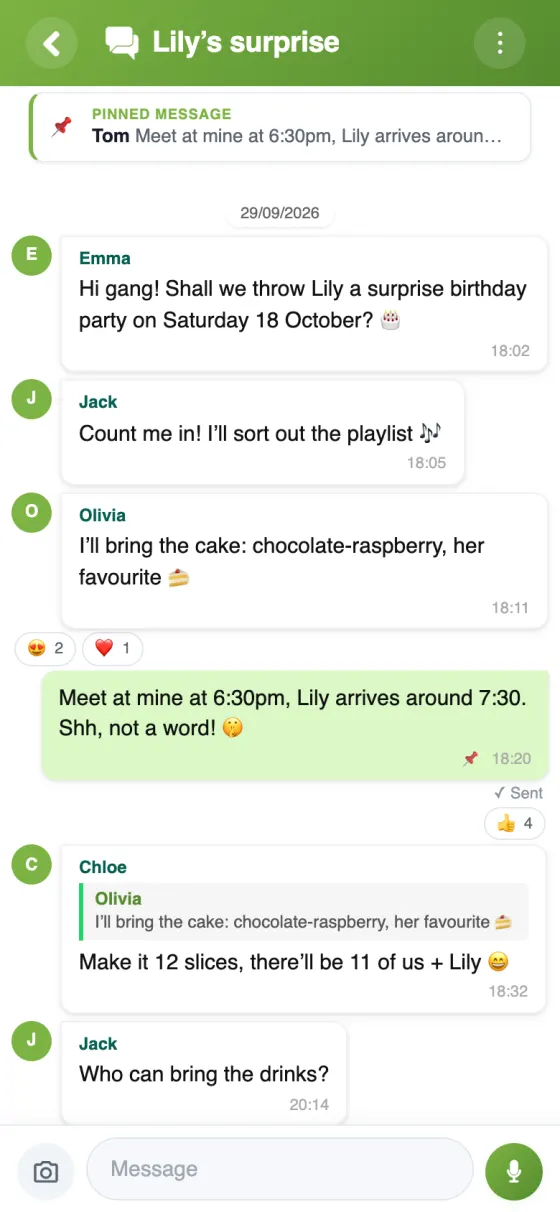
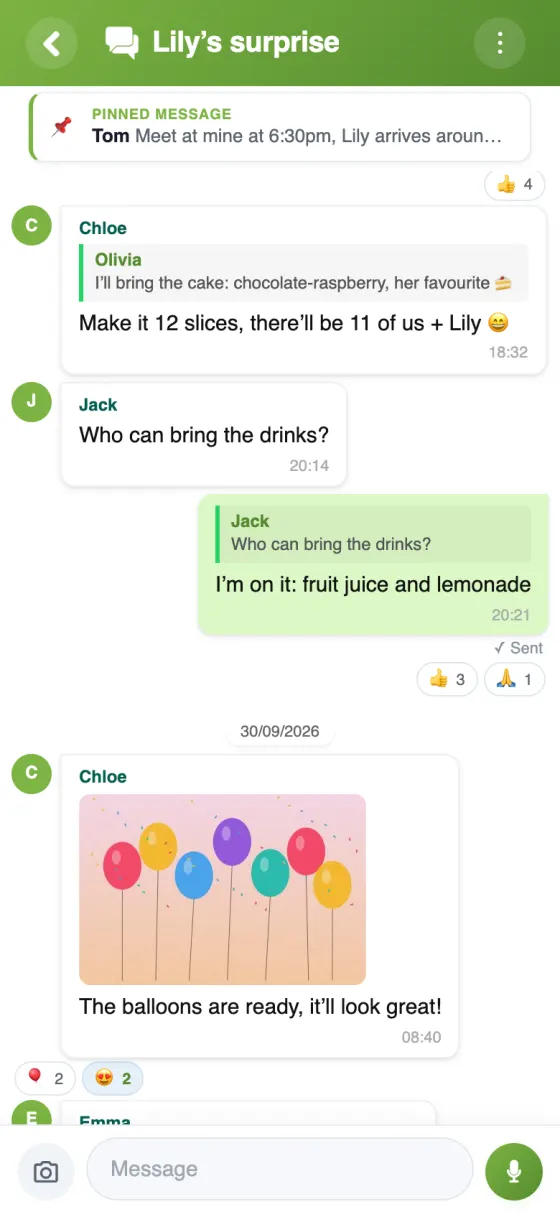
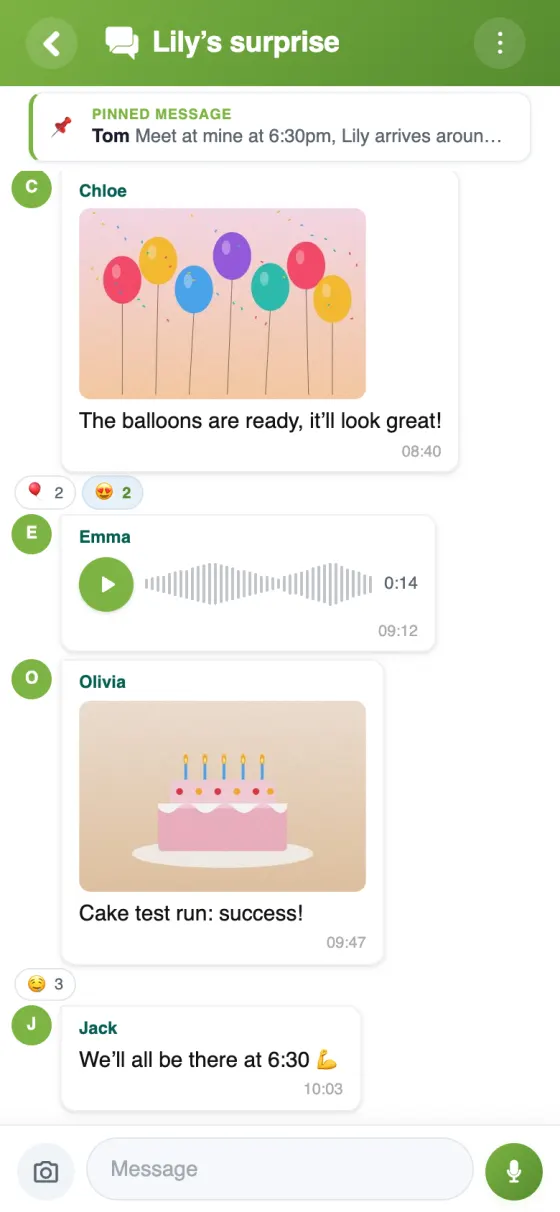
Photos, GIFs, voice messages, reactions, quoted replies, a pinned message and “Seen by”.
- 📵
No phone number needed
An email address is enough to sign up, or sign in with Google or Apple.
- 🧰
Tools in the same place
Poll, calendar, budget, lists, gallery: in the same YouTim, with the same members.
- 🚫
No ads, no AI training
No advertising, and your messages are never used to train AI models.
- 🗂️
One space per circle
Family, friends, club, coworkers: each gets its own YouTim, not one endless list of chats.
- 🔇
A chat that stays readable
An admin can restrict writing to admins or lock the chat.
Group chat in YouTim
The group thread, quoted replies and shared photos.
Move your group to YouTim in 3 steps
WhatsApp and YouTim: two tools, two jobs
WhatsApp is an excellent messaging app. YouTim is a group space where the chat is just one part. If your group spends more time getting organised than chatting, here's what changes.
What WhatsApp does well
Almost everyone already has it. Message content is end-to-end encrypted, and a group can run polls (up to 12 options) or create events. For a quick chat with people you know, it's hard to beat.
Chatting apps like WhatsApp, made for getting organised
In a WhatsApp group, the agreed date, the shopping list and who owes what end up buried in the thread. In YouTim, the chat shares the YouTim with a date poll, a calendar with replies and reminders, a budget that works out repayments and checklists. You decide in the chat, then open the right service, without switching apps.
Plenty of groups keep WhatsApp for quick messages, and move everything they'll need to find again to YouTim.
A private group chat app without a phone number
Signing up to WhatsApp takes a phone number, and in many groups members can still see each other's numbers. In YouTim, an email address is enough. Each member can turn off “Publish my contact details”; the YouTim's admins always see the email and phone number on file, so they can manage the group.
A European messaging app with no ads
YouTim is made by a French company. The app is hosted in Amsterdam and files are stored with Scaleway, in France; your content is encrypted on our servers. No ads, no public profile, no data sold, and your messages train no AI. WhatsApp, for its part, announced ads in its Updates tab in June 2025, away from personal chats.
Free chat apps like WhatsApp: who is YouTim for?
Groups of friends planning nights out and weekends, families sharing a calendar and shopping (family organiser app), and clubs, which have their own guide: WhatsApp alternative for clubs and community groups.
Frequently asked questions
Is YouTim free?
Yes: free, with no ads and no in-app purchases, on iPhone, Android and in a web browser.
Do I need a phone number?
No. An email address is enough, or you can sign in with Google or Apple.
Are messages end-to-end encrypted, as on WhatsApp?
No: in YouTim they are protected in transit with TLS and encrypted on our servers. Only the YouTim's members see them, and they are never sold or used to train AI.
Can I message just one person?
Yes: the “Messages” tile lets you write to one person or to several, up to 20 including you, outside the group chat.
Does a new member see the whole history?
They see the messages posted after they joined, unless an admin gives them access to the history.
Does everyone need to install the app?
No. The chat also works in a web browser; the app adds push notifications.
 YouTim
Your whole group in one place.