Use case · Lists
The household chores app
that shows who does what
Bathroom, bins, hoovering, dishes: each chore has its people and its rhythm, and everyone can see what's waiting for them this week.
What a shared chore list changes
Fewer arguments, more chores done.
- 👤
Clear ownership
Each chore gets one or more people in charge; only they, or an admin, can tick it off.
- 🔁
Chores that come back
Daily, weekly, monthly: once ticked off, the chore reappears on its next date.
- 🔍
What's waiting for me?
The filter by participant shows each person their own chores, without scrolling the whole list.
- 🔴
Overdue in red
Once the date has passed, the chore stands out straight away.
- 🔔
Reminders
On time, 10 minutes or an hour before, or the day before, sent to the people assigned.
- 📶
Works offline
Tick off chores without signal; everything is sent once you're back online.
The chore list in YouTim
Filter by person, set the options, tick it off: next week it's back.
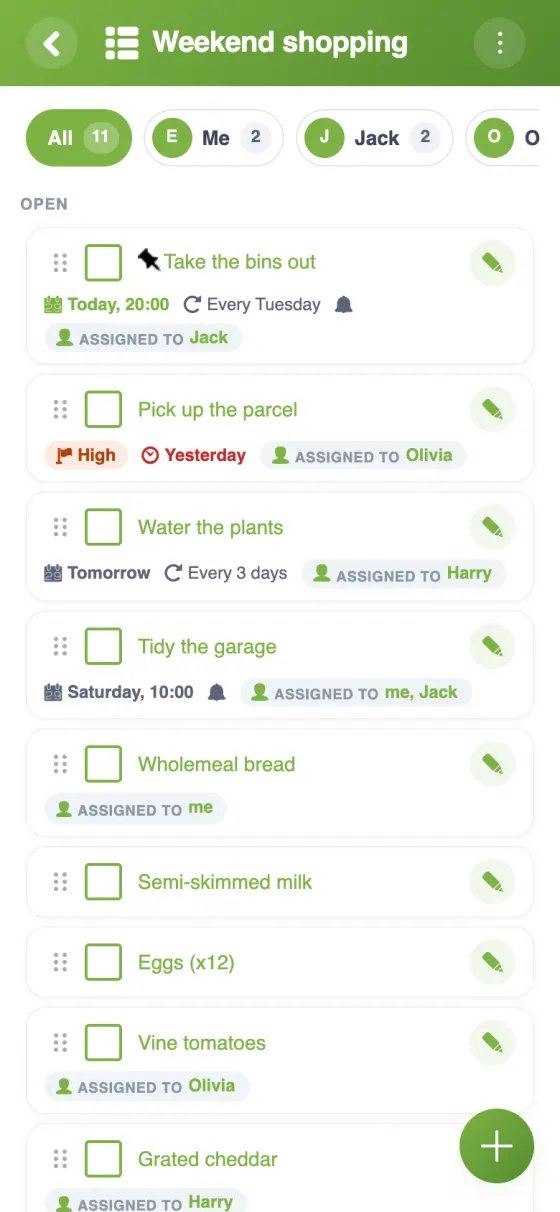
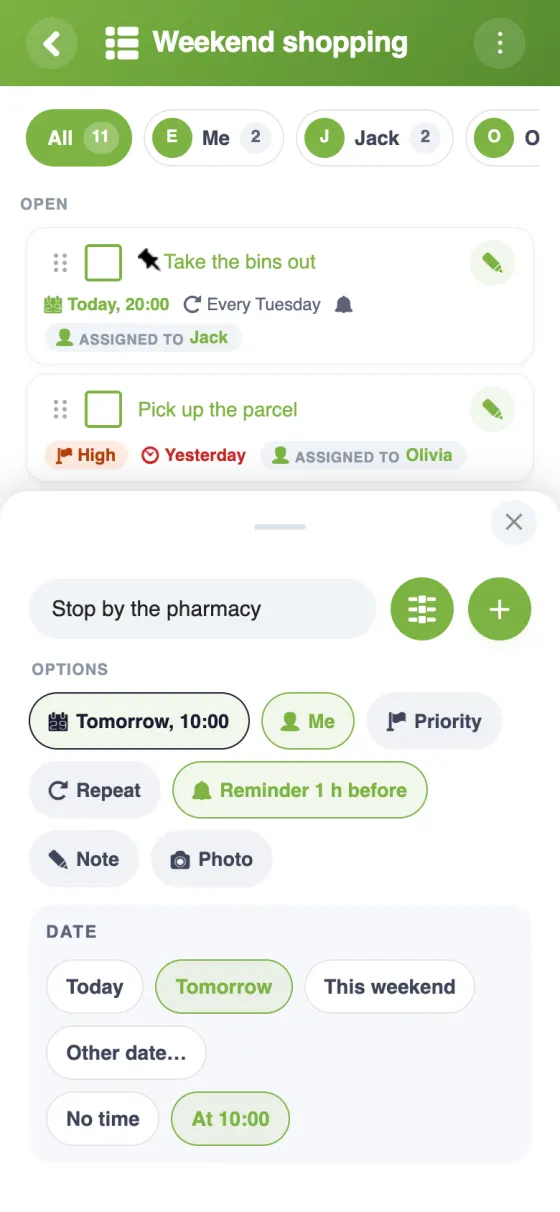
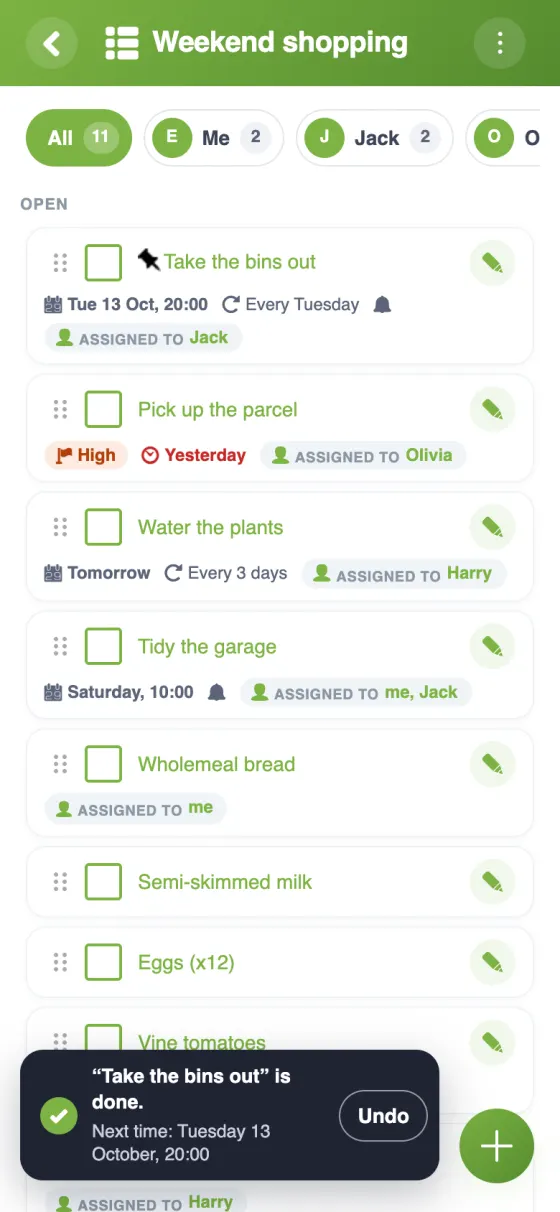
Build your chore chart in four steps
A household chores app that keeps things fair
Sooner or later, every shared home has the same conversation: who cleaned the bathroom last? A rota on the fridge works for a week, then gets ignored. A shared chore list on everyone's phone gives a nudge, shows what's overdue and comes back every week on its own.
An app to track household chores: tasks, people, rhythm
In YouTim, add a list called “Chores” and put each job on its own line: bathroom, kitchen, hoovering, bins, recycling. With the sliders, each chore gets one or more people in charge, a date and a repeat, weekly or monthly for example. Whoever finishes ticks it off, and the chore comes back on its next date.
If you take turns, simply swap the person in charge when the next round begins.
A chore app for flatmates and roommates
In a flat of two, a short list with fixed jobs is often enough. With three or four flatmates, give each chore an owner: the filter by participant then shows everyone only what's waiting for them, and anything overdue shows up in red.
The same YouTim can hold the shared shopping list and the shared bills; see YouTim for flatshares.
A free chore app for families
In a family, the list works the same way: empty the dishwasher, lay the table, tidy bedrooms, feed the cat, each with a person in charge and a repeat. An admin decides whether everyone can add and edit chores, or only admins. YouTim Lists is free, with no ads and no in-app purchases; for the rest of family life, see our family organiser app page.
Family chore chart app or paper chart?
A paper chart is easy to start and just as easy to ignore. A chore chart in an app adds what paper can't: reminders on the right day, chores that reset themselves once ticked off, and a list that's on each person's phone, even offline.
Frequently asked questions
Is the household chores app free?
Yes, YouTim Lists is completely free, with no ads and no in-app purchases, on iPhone, Android and the web.
How do I assign chores?
Tap the sliders on a chore to give it one or more people in charge. They are notified if the option is turned on in the list, and only they, or an admin, can tick it off.
Do chores repeat automatically?
Yes: every day, every week, every month… A repeating chore stays in the list once ticked off and comes back on its next date.
How can each person see their own chores?
With the filter by participant, which shows what's waiting for each person. Anything overdue shows up in red.
Do we get reminders?
Yes: on time, 10 minutes or 1 hour before, or the day before. The reminder goes to the people assigned; if nobody is, to the organisers, or to everyone, depending on the list's setting.
Can we keep chores and shopping in the same group?
Yes, add several lists to the same YouTim, for example “Chores” and “Shopping”, with the same members.
 YouTim
Your whole group in one place.